A checklist is a short list of actions or conditions that need to be performed or checked for one particular result. Such a list helps not to miss small actions inside a familiar work: before sending a report, publishing material, transferring an order or traveling.
The working checklist is based on a real process. First, the result is determined, then the necessary checks are collected, vague wording is translated into specific actions, the list is tested on one task and the points that are unnecessary or incomprehensible are corrected.
How to Choose a Testing Task
Select a repetitive task with a clear result in which individual actions have already been skipped. For the first checklist, a familiar work is suitable, not a new process that the performer is still mastering.
A cross-cutting example of the article - the task “Prepare and send a working report”. The result here is specific: the recipient should receive the desired version of the report with up-to-date data and filled in mandatory sections.
Before making a list, set three conditions:
- result - what exactly should be prepared;
- checkpoint - at what stage the list is opened;
- performer - who marks.
For the report, the result will be the document sent, the moment of verification - the stage before sending, the executor - the employee who prepares the file.
One checklist refers to one result. Preparing a report, holding a meeting, and billing require different checklists because each action ends in its own result.
How a checklist differs from a business plan
The business plan determines what tasks a person performs, and the checklist clarifies the completeness of one specific task.
The day plan looks like this:
- prepare a report;
- call the client;
- Send documents to the accountant;
- order supplies.
The checklist applies only to the first item:
- the appropriate reporting period is selected;
- The source data has been updated;
- sums verified;
- mandatory sections have been completed;
- addressee verified;
- The correct version of the file is attached.
Planning the day is required first. taskand within a separate case - to determine the checks, without which the result cannot be considered ready.
"Preparing a report" is a task. “Amounts checked against the original table” is the criterion for the readiness of this task. Mixing the two levels turns a checklist into another to-do list and blurs the assignment of marks.
When you need a step-by-step order
Step-by-step order is needed where the next action depends on the previous one. Independent checks are grouped by meaning and performed before the result is completed.
The checklist has two modes of application.
"Read, do it." It is used in a consistent process. The performer reads the item, performs the action and puts a mark after execution.
For example:
- update the reference table;
- recalculate the final values;
- transfer the data to the report;
- Check the final version.
"Do-check." They're used in familiar work. The contractor first prepares the result, then before completion checks it against the list of mandatory conditions.
For a working report, the second mode looks like this: the employee collects the document in the usual way, and before sending checks the period, numbers, mandatory sections, addressee and attachment.
The detailed instructions solve another problem. It explains how to perform an unfamiliar process. The checklist reminds of actions and criteria that the performer already understands.
How to collect items for one result
Go through the actual process from start to finish and write out actions or checks without which the result will be incomplete. Separately collect places where previously there were gaps or had to return to work already done.
The draft review of the report often begins with short notes:
- period;
- data;
- amounts;
- sections;
- Check everything.
- the right file;
- shipment.
Such a list does not yet specify verifiable actions. Nouns and value words do not explain what is required of the performer.
Items should be collected from three sources:
- the actual sequence of work;
- past errors and returns for revision;
- Experience of a person who regularly performs a task.
For the report, the structure is divided into three parts.
Preparation
- the desired period is selected;
- The original data has been updated.
Verification
- sums verified;
- The mandatory sections have been completed.
Transfer
- addressee verified;
- The correct version of the file is attached.
The group maintains the link between the point and the stage of work. The performer quickly understands which part of the result a particular mark belongs to.
How to formulate the verified action
Formulate the item so that after checking there is an unambiguous answer: the condition is fulfilled or not fulfilled.
A phrase "check the numbers." It doesn't set a completion limit. Item “The total is the same as the original table” Specifies the specific test result.
One item contains one action or one condition. Formulation Check the addressee and attach the correct file. It combines two independent checks under one mark.
Divide it:
- the addressee of the letter is verified;
- The correct version of the file is attached.
This format shows the real state. The addressee has already been verified, and the attachment is not yet complete - the entire transfer check is not completed.
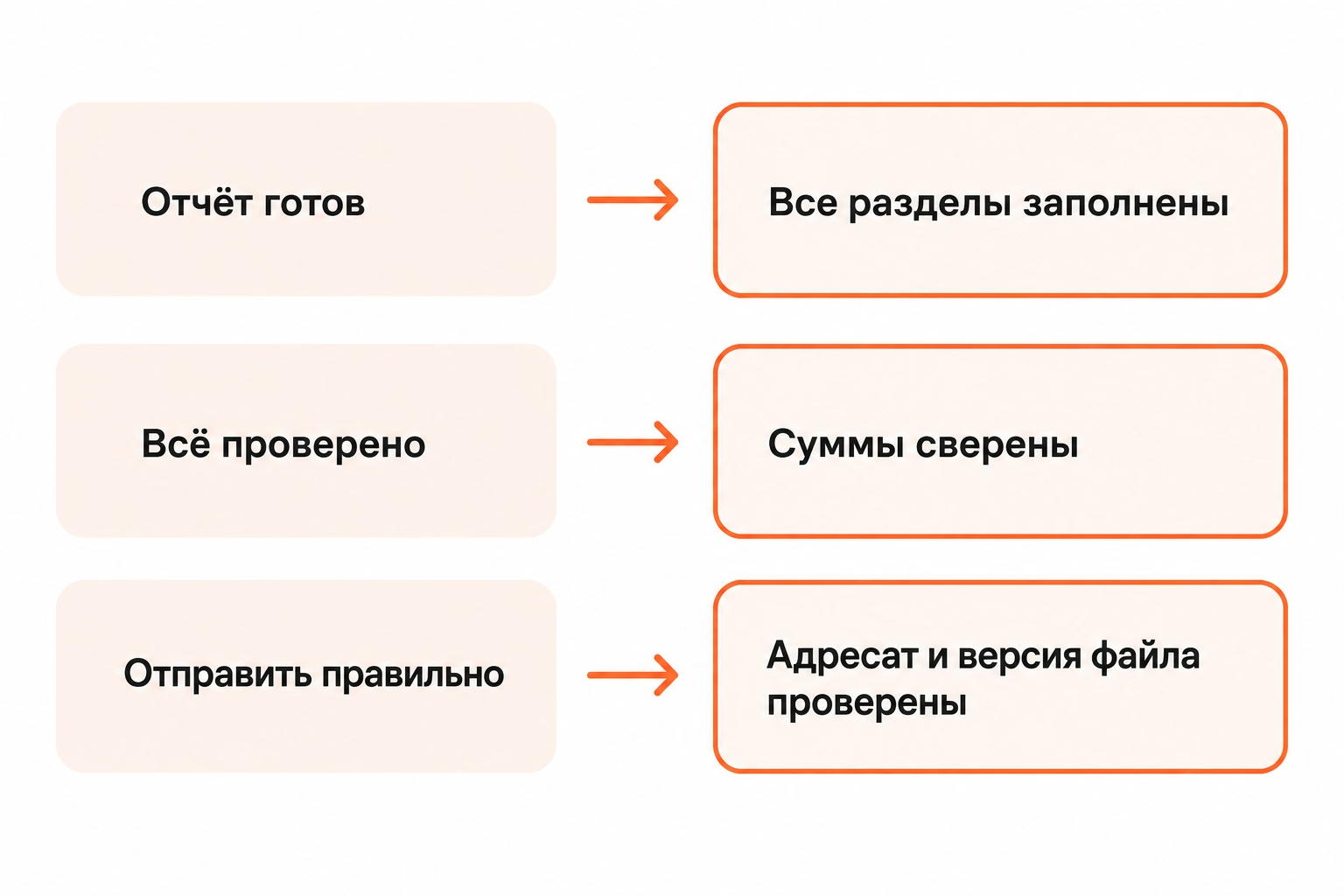
How to reduce the long list
Remove from the checklist the explanations that are needed for training, and leave only the actions or criteria that need to be checked at each performance.
There is no fixed limit of 7, 10 or 20 points. The length is determined by the process itself. The list should retain the necessary checks and remain short enough for regular use.
The long list is most often overloaded with three types of records:
- obvious actions that the performer does not miss;
- detailed instructions instead of checks;
- several formulations of one requirement.
Item Open Excel, go to the Sales tab, find the bottom line, compare the value to the report. Describes the method of execution.
For the checklist, the wording is sufficient:
“The total is checked against the original table.”
A detailed reconciliation order is stored in the instructions if it is needed by a beginner.
After shortening, the list for the report remains compact:
- the desired period is selected;
- data are updated;
- sums verified;
- sections filled;
- addressee verified;
- There's a version attached.
How to choose a place for marks
Keep a checklist where the work itself takes place. The paper is suitable for the physical process, the electronic document for the editable sample, the points inside the card for checking a specific task.
A paper list is suitable for preparing a workplace, pre-trip fees or inspecting a physical facility. Marks are placed directly next to the place of execution.
The electronic document is suitable for the general sample. Responsible updates the wording, and for each launch creates a clean copy.
The task card links the test to a specific job. The status of the card reflects the state of the whole task, and individual points indicate the readiness of its parts.
The main criterion of choice is availability at the time of verification. The list, which is remembered after the work is completed, does not fulfill its function.
How to test a checklist at work
Take one real task, go through a new list from start to finish and fix items that turned out to be ambiguous, redundant or missing.
For the task "Prepare and send a report" The first sample looks like this:
The Contractor shall prepare this report and mark only after the actual verification of the conditions.
A test run reveals wording problems. For example, paragraph “Mandatory sections completed” It will be too common for employees to regularly forget a block of conclusions. Then the sample receives a separate item:
“The ‘conclusions’ section is filled.”
Another item after the check will be superfluous. If a particular check does not affect the result and does not prevent a repeat pass, the line only overloads the list.
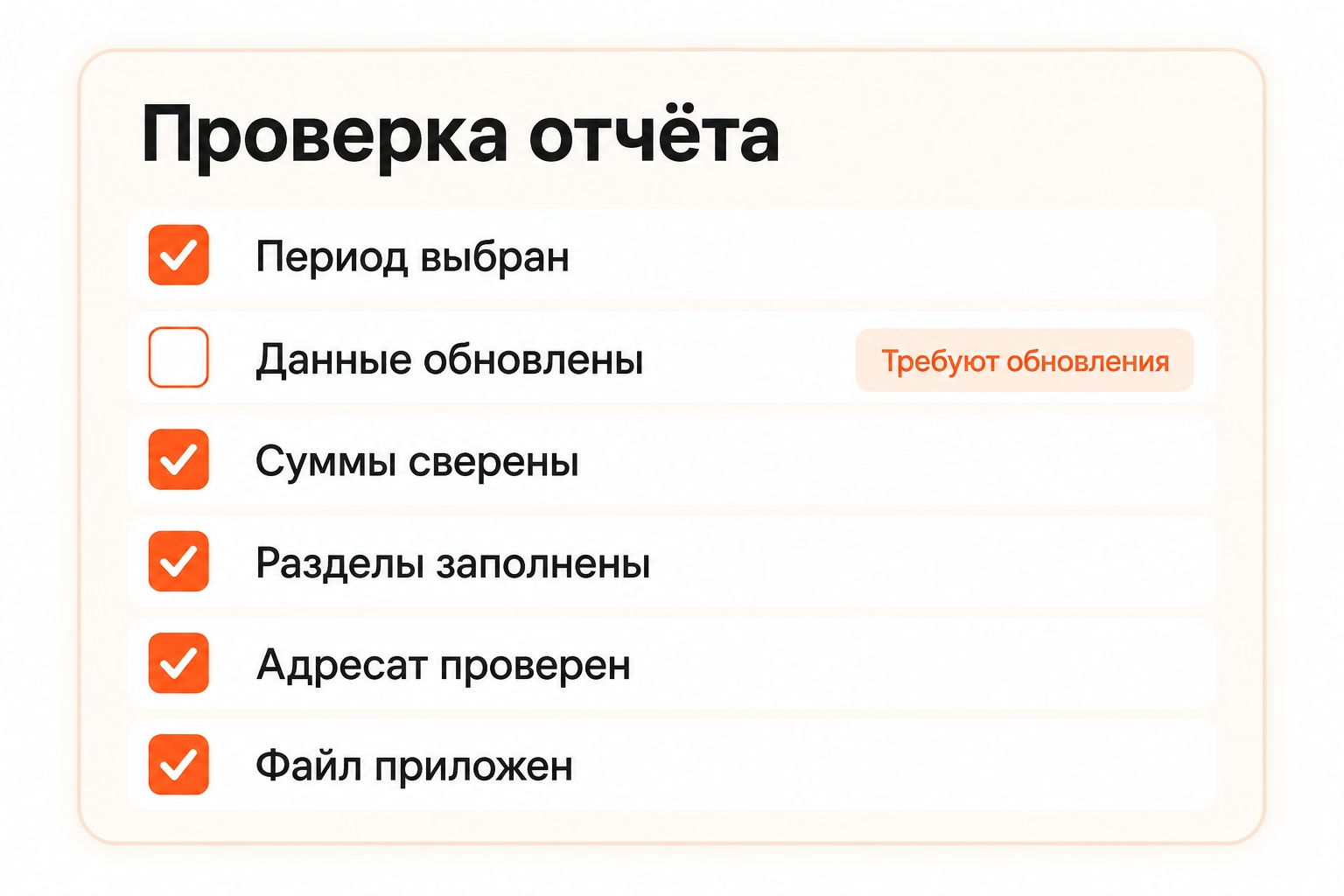
The same principle works in a personal task. Before the trip, check:
- documents taken;
- Tickets retained;
- Chargers are assembled;
- The necessary medicines have been taken.
The list is tailored to a specific trip. Flights, car trips and short weekend departures require different checks.
How to use the list without formal checkmarks
Make a mark only after you have performed the action or checked the result. The tick records a fact, not an intention to return to a point later.
Formal work begins when lines are marked in a row without checking the result. The completed list in this case ceases to show the readiness of the task.
Each item should have a specific basis for marking:
- value verified;
- file attached;
- document reviewed;
- the required section is filled;
- addressee verified.
The phrase “almost ready” is not a basis.
An uncompleted mandatory clause requires one of three solutions:
- perform the missing action;
- agree on an exception;
- Leave the task unfinished.
For example, the report was collected, but the data for the last day has not yet been received. Item "Source data updated" It's still unmarked. The contractor is waiting for data or agrees on another reporting period.
When working together, the person responsible for the final check is determined in advance. One employee collects the numbers, another prepares the document, but the mark appears only after checking the actual result.
What to do with an inapplicable item
Note the inapplicable item separately as "not required" And fix the cause. Such a record separates the deliberate exclusion from the forgotten verification.
For example, a common sample contains a line:
“A table with the initial data is attached.”
For one client, the format is approved in PDF only. In the completed copy, a record appears:
“Not required – only PDF is transmitted in an agreed format.”
The empty paragraph leaves two interpretations: the condition is forgotten or it does not apply to the task. A separate reason removes this uncertainty.
Repeated exceptions require revision of the sample. If the same line is consistently labeled “not required,” the list combines different processes or contains an outdated requirement.
How to connect the check with a card on the board
Create one card for the final result, and place a small checklist inside it. Columns reflect the state of the whole task, points - the readiness of individual parts.
For example, the card is called:
"Send a report for August."
Inside it are points:
- the desired period is selected;
- The source data has been updated;
- sums verified;
- mandatory sections have been completed;
- addressee verified;
- There's a version attached.
The card goes down the board. "Make in the Work, Ready.". The position of the card shows the status of the whole task, and the checklist shows which checks inside it have already been completed. In the article about personal kanban, the approach in which taskboard between working states, and small actions remain inside the card.
An individual step becomes an independent card when it receives its own result, term or performer. For example, the task "Request data from accounting" They live independently of the main report and wait for a response for several days.
In Kanbano, a description, date, labels, status, checklist and attachments are stored inside the card. The card retains the context of a particular work, and the board shows its position among other tasks.
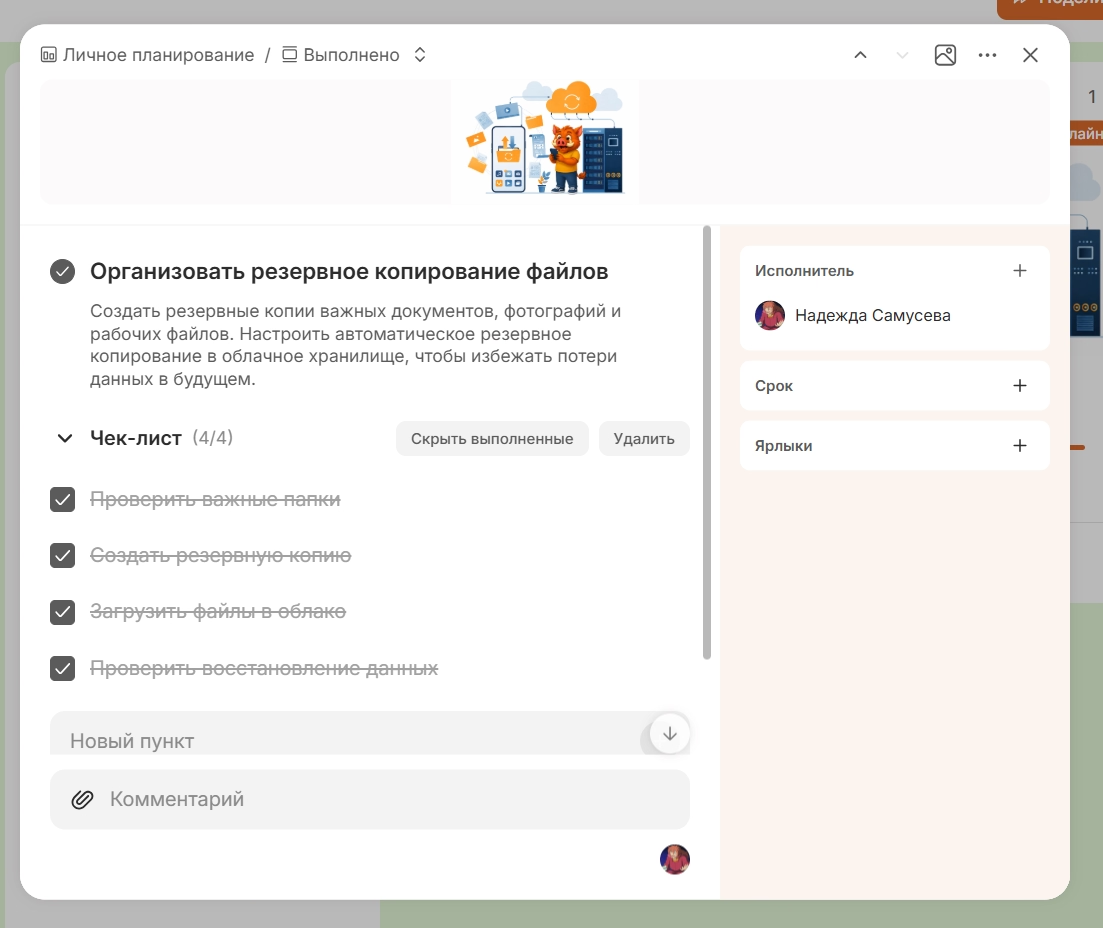
Such a structure is suitable for repetitive work with one final result: the card remains the main task, and short checks do not break the board into dozens of small elements.
It is sufficient for practical verification boardAdd one repetitive task and write down several observable readiness criteria.
When to review the finished sample
Revise the sample after a process change, a detected omission, a recurring incomprehensible point, or a new result requirement.
The reasons for the change are specific situations:
- The error occurred in a place that is not on the list.
- One point employees interpret differently;
- The action is no longer part of the process;
- the work order has changed;
- a new mandatory requirement has been introduced;
- The “not required” mark is repeated regularly.
For example, several reports in a row leave with a draft version of the attachment. After such a repetition, the file verification is specified: The name of the attached file corresponds to the final version..
When working together, a person is appointed responsible for the relevance of the general sample. The responsible person monitors the changes in the process and updates the wording so that employees do not work according to different requirements.
The sample version is fixed by the update date or number, if several copies are in operation at the same time. The version shows what requirements the specific check was carried out.
A completed list and a clean sample perform different functions. The completed copy stores the result of a specific check. The clean sample serves as the basis for the next launch.
How to prepare a list for re-launch
Before a new start, take a current clean sample, check for process changes, and create a new instance without marking the previous task.
The past completed list is saved if the verification history is needed in the work. Old ticks are not transferred to a new copy: each mark must refer to the current execution.
Before restarting, check three conditions:
- points correspond to the current process;
- The wording provides an unambiguous criterion;
- Recent errors and exceptions are taken into account.
The next performance again becomes a test of the quality of the sample. The actual launch reveals the pass, the corrected item gets into the new version, and the next task already passes through the current list.