Kanban boards can be used for personal chores, study, household chores, repairs, travel, achieving goals, reading and finding work. The digital format is convenient because tasks and related information are stored in the same space, and you can work with them from different devices.
Here are six examples of how you can use a kanban board in your personal life.
1. Kanban for personal tasks
Online kanban for personal tasks helps to collect everyday activities in one place and monitor their execution. In such a system, you can plan purchases, appointments to doctors, work with documents, financial issues, maintenance of equipment, meetings, household errands and other affairs that are otherwise scattered on notes, messengers and lists.
Each case becomes a separate card, and its position on the visual board shows the current state. Some tasks are still planned, others are already being carried out, others are temporarily dependent on external circumstances. Therefore, the digital kanban system allows you to see not only the volume of personal affairs, but also to understand what is happening with each of them now.
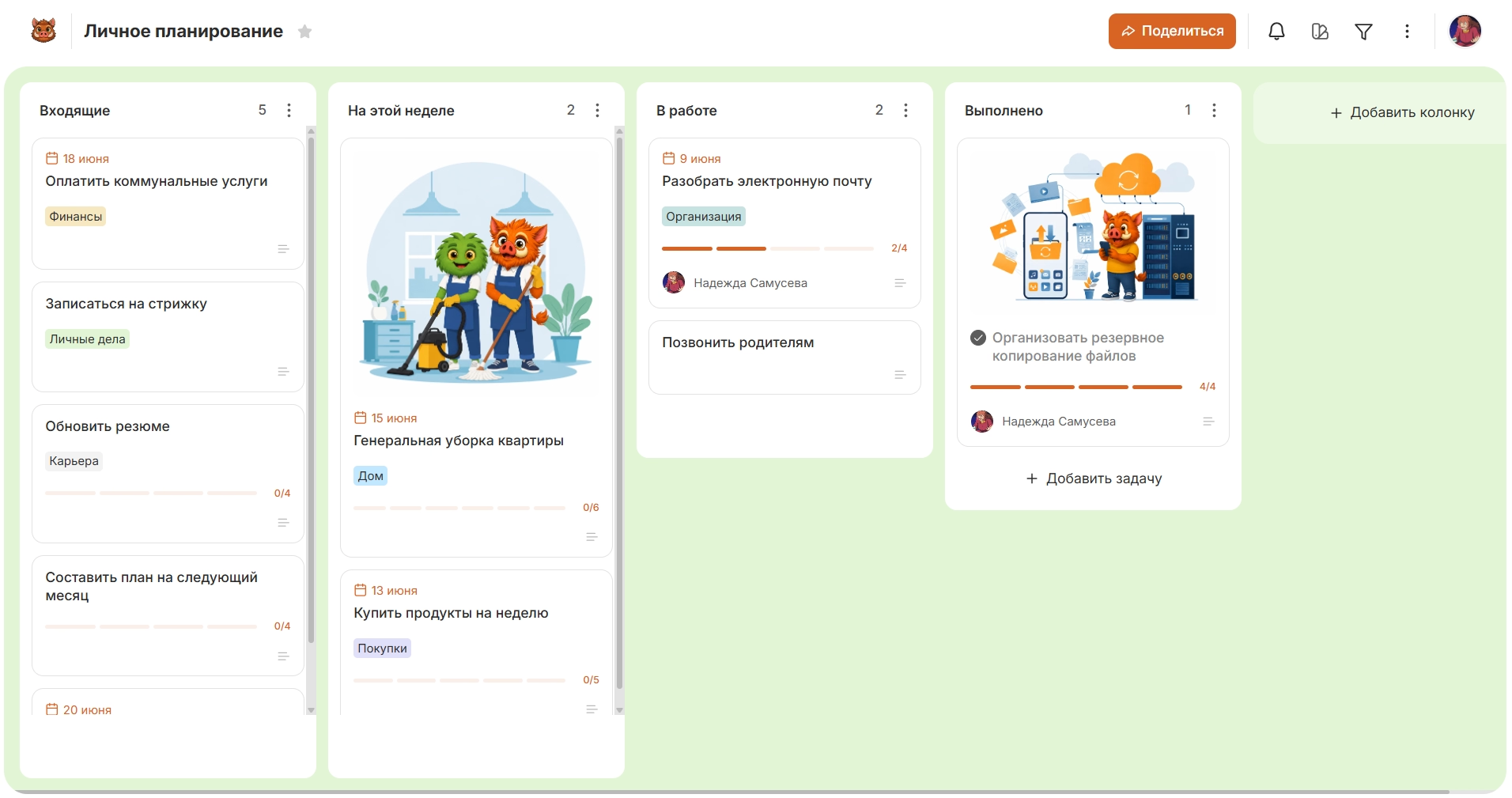
Tags can separate health, documents, finances, home and purchases, dates can be used for cases with deadlines, and large tasks can be detailed using checklists.
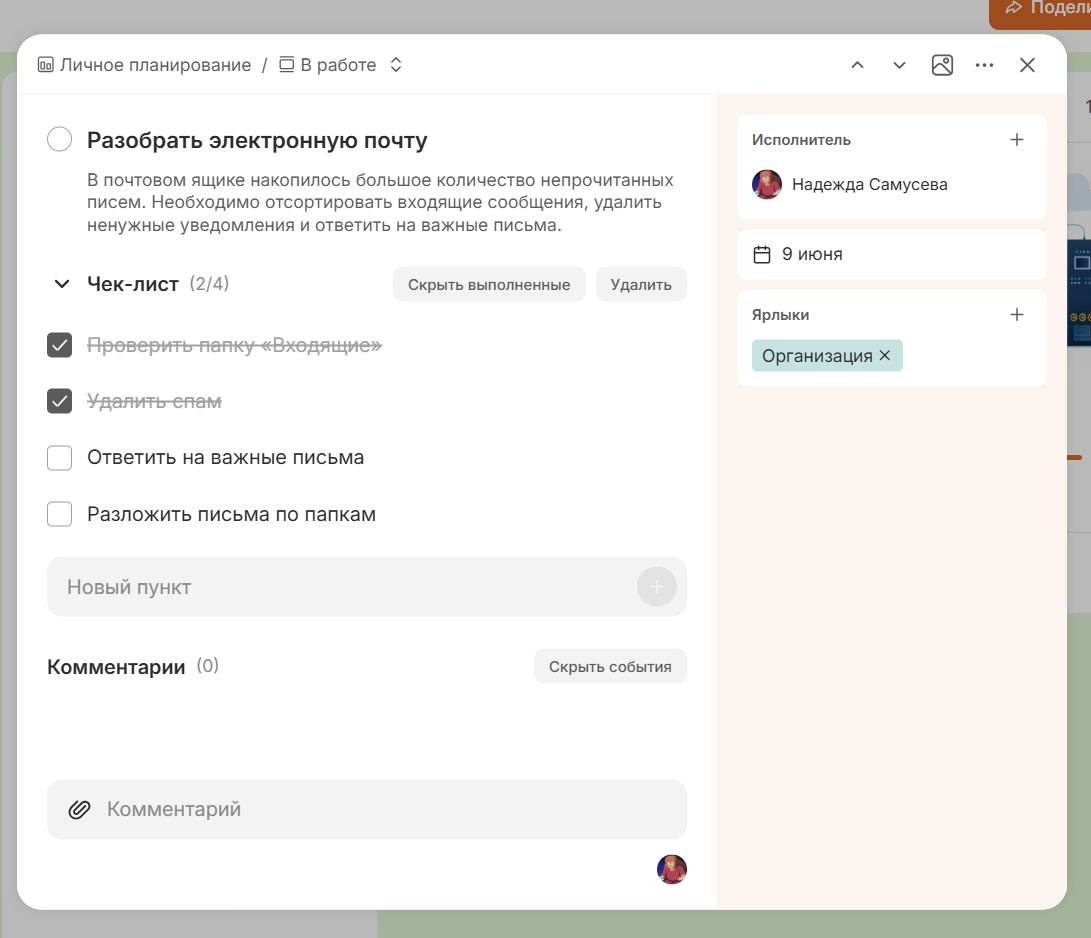
So one card replaces several disparate notes and allows you to save the entire context of the task in one place.
2. Kanban for study
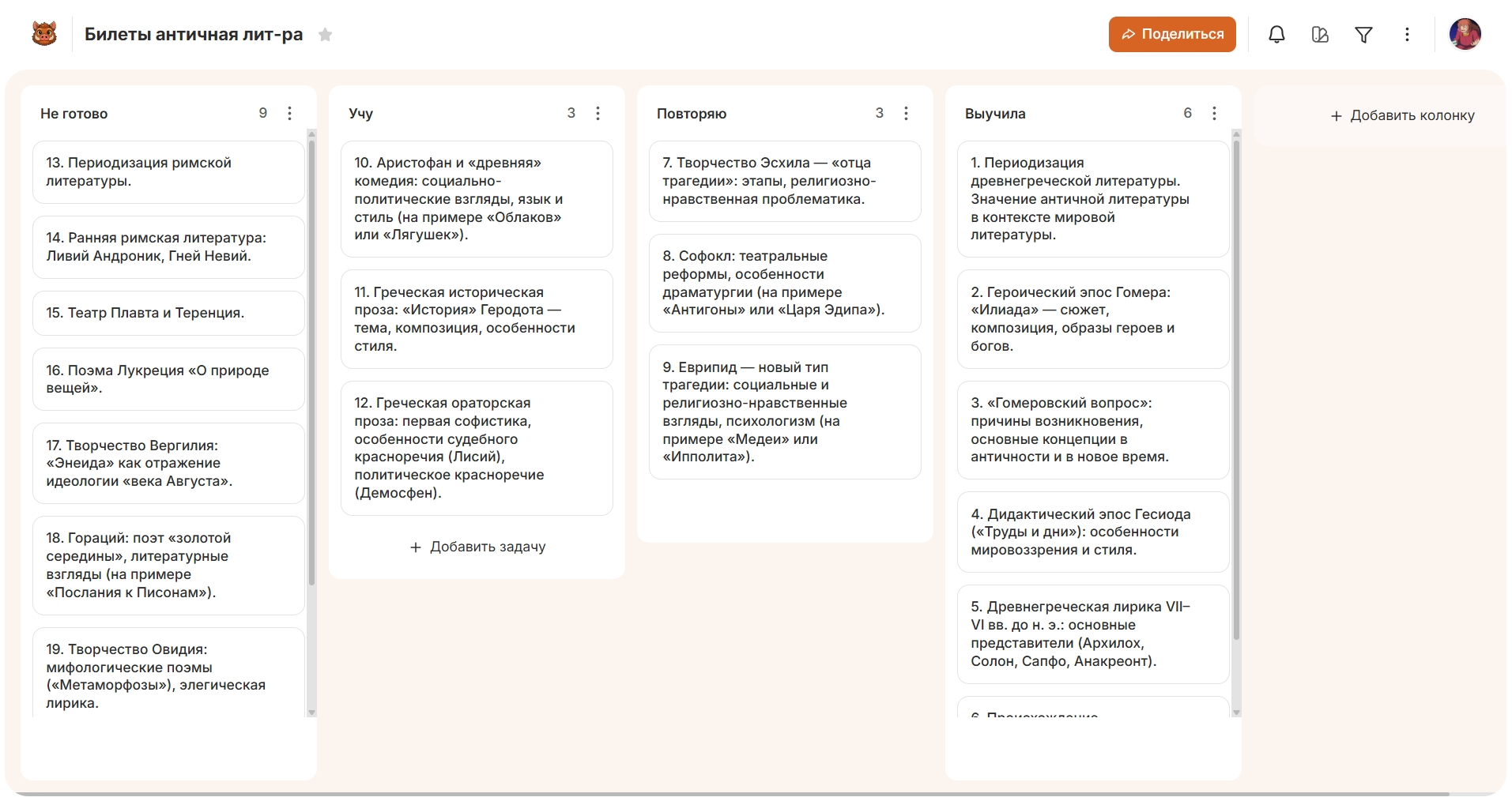
Kanban board for study allows you to organize the study of the material, the performance of tasks, preparation for exams, coursework and diploma works. In one online space, you can track learning topics, practical assignments, tickets, course modules and other learning elements.
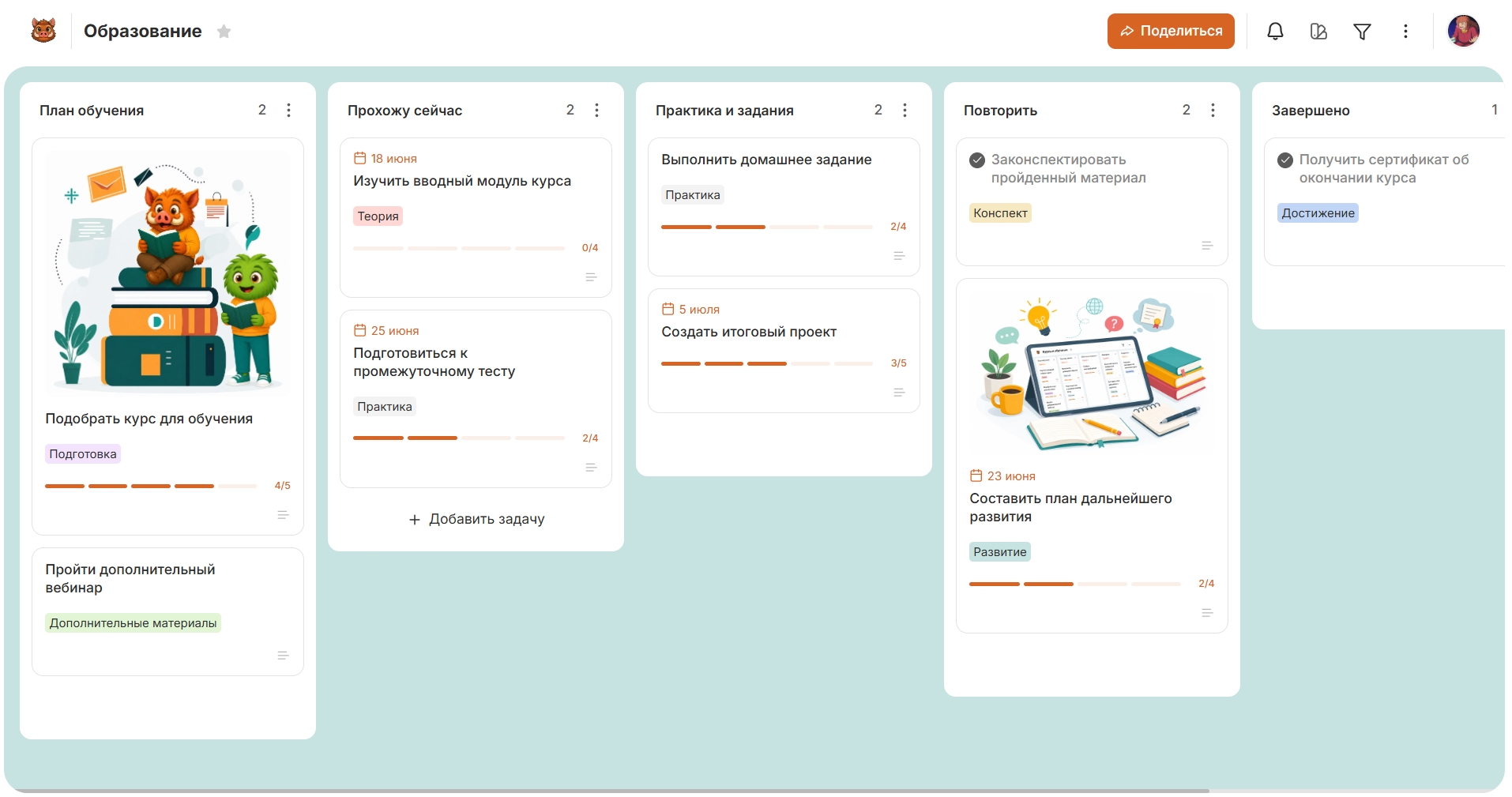
With independent study, the card can be a separate topic, and its position on the board shows the degree of mastery of the material: what has yet to be understood, what is being worked on, what needs to be returned to and what has already been studied. Subjects, courses and directions can be further separated by labels.
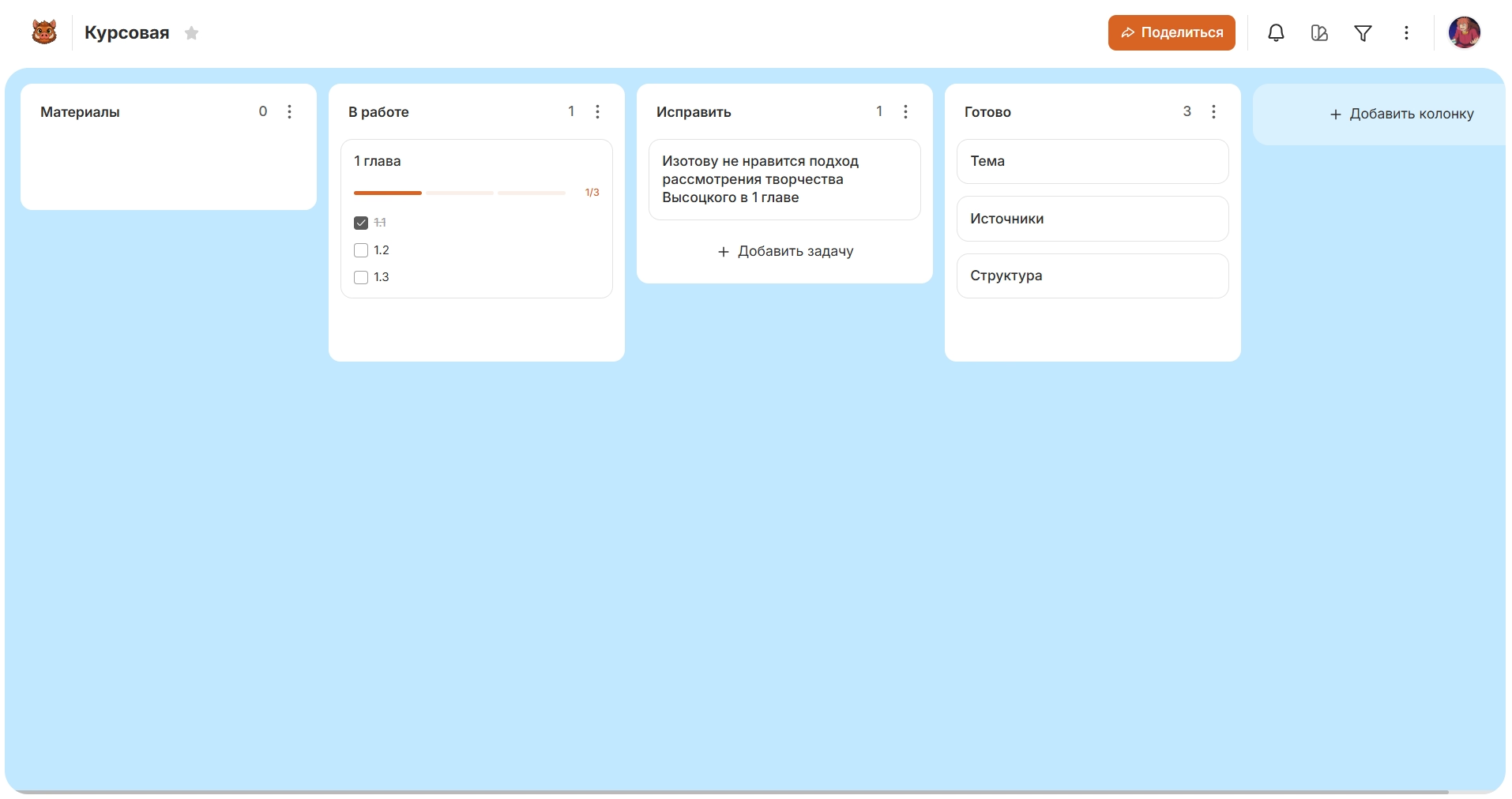
For a coursework or diploma, the Kanban system helps to present great work as several related parts: source search, structure preparation, chapter writing, revision, design and preparation for defense. So the user controls not one abstract task, but specific elements of the educational project and their readiness.
3. Kanban for household and family matters
An online board for household and family affairs helps to collect household tasks in the common system, distribute responsibility and see the state of each case. With its help, you can plan purchases, cleaning, paying bills, house maintenance, minor repairs, documents, tasks related to children or pets.
If a digital board is used by several people, one card is associated with the case itself, its performer and the current state. Thanks to this, kanban is suitable not only for individual planning, but also for joint everyday life, when responsibilities are distributed among family members.
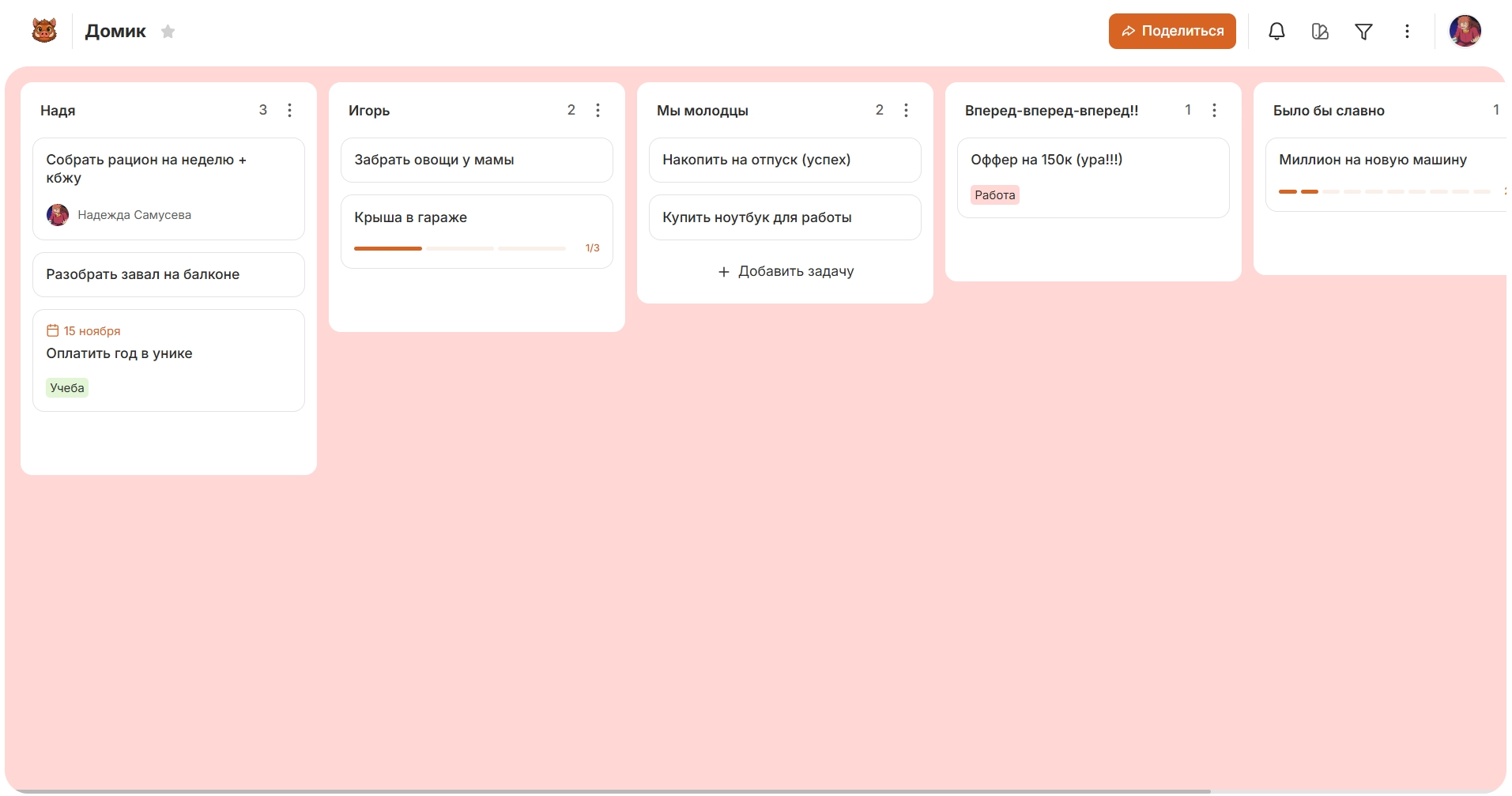
Certain areas of home life can be marked with labels – for example, to separate purchases from repairs, documents or household chores. So all household issues remain part of one process, but the desired category can be quickly identified if necessary.
4. Kanban for travel
An online kanban travel board helps to collect all the preparations for the trip in one place: documents, transport, accommodation, bookings, itinerary, shopping and collecting things. Instead of several independent lists, the user receives a single system by which to assess the overall readiness of the trip.
Cards can be the purchase of tickets, hotel reservation, insurance, preparation of documents, route planning or other organizational issues. Categories allow you to separate transport from housing, documents, finance, entertainment and things, keeping all the elements of the trip on one virtual board.
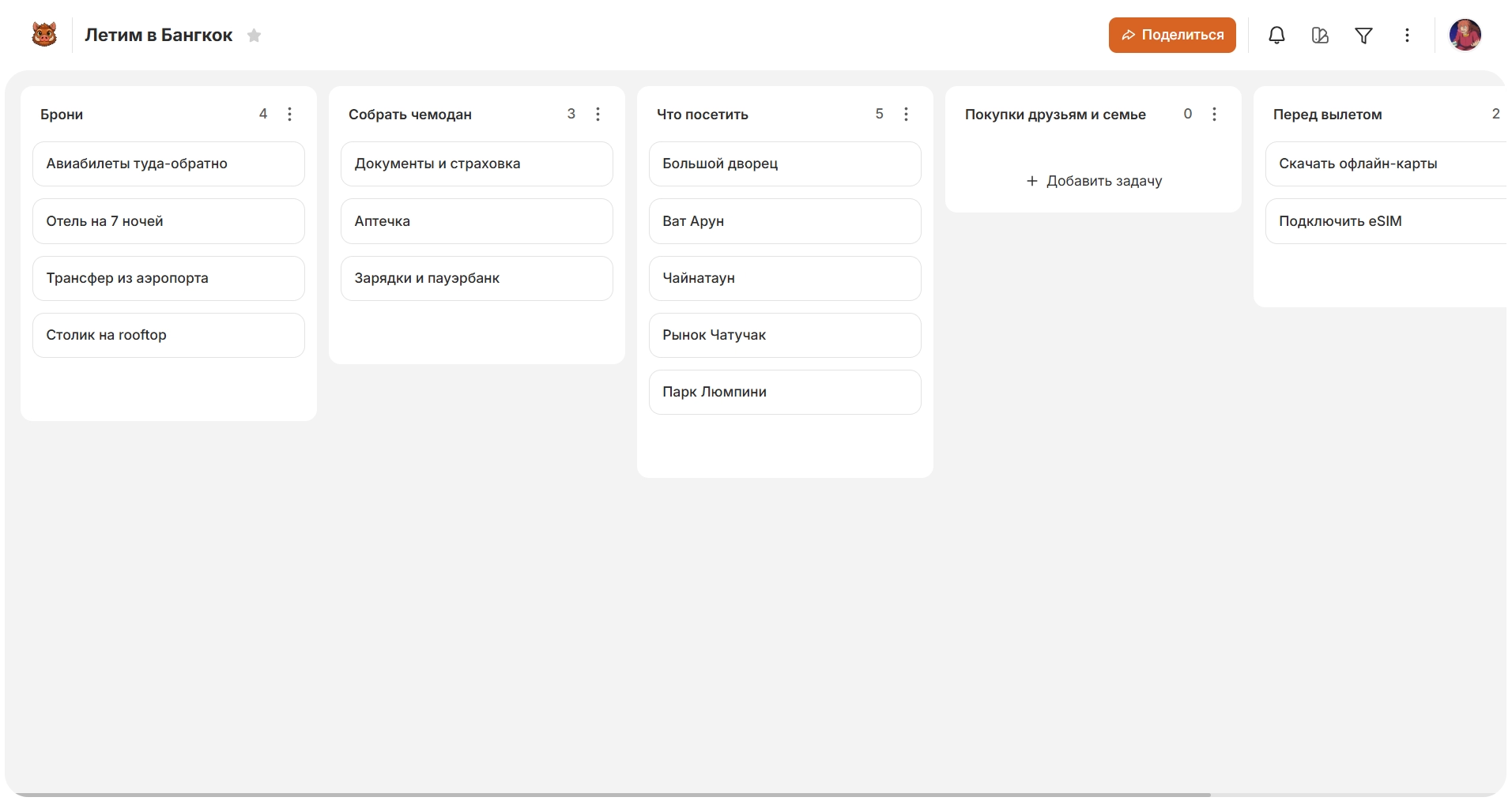
Large parts of the preparation can be further detailed inside the cards. If several people plan a trip, the online format allows you to conduct a common board and distribute different areas of training between participants. As a result, the Kanban system reflects not just a to-do list before a vacation, but the state of the entire trip and its individual parts.
5. Kanban for repair
A digital kanban repair board helps monitor work, material procurement, delivery, interaction with craftsmen and the readiness of individual premises. In it you can conduct finishing, electricity, plumbing, furniture, lighting, machinery and other components of the project.
Each work goes its own way: it needs to be planned, materials prepared, started, sometimes wait for delivery or contractor, and then completed. Therefore, the visual whiteboard shows the difference between what you can already do, active work and tasks that are temporarily blocked.
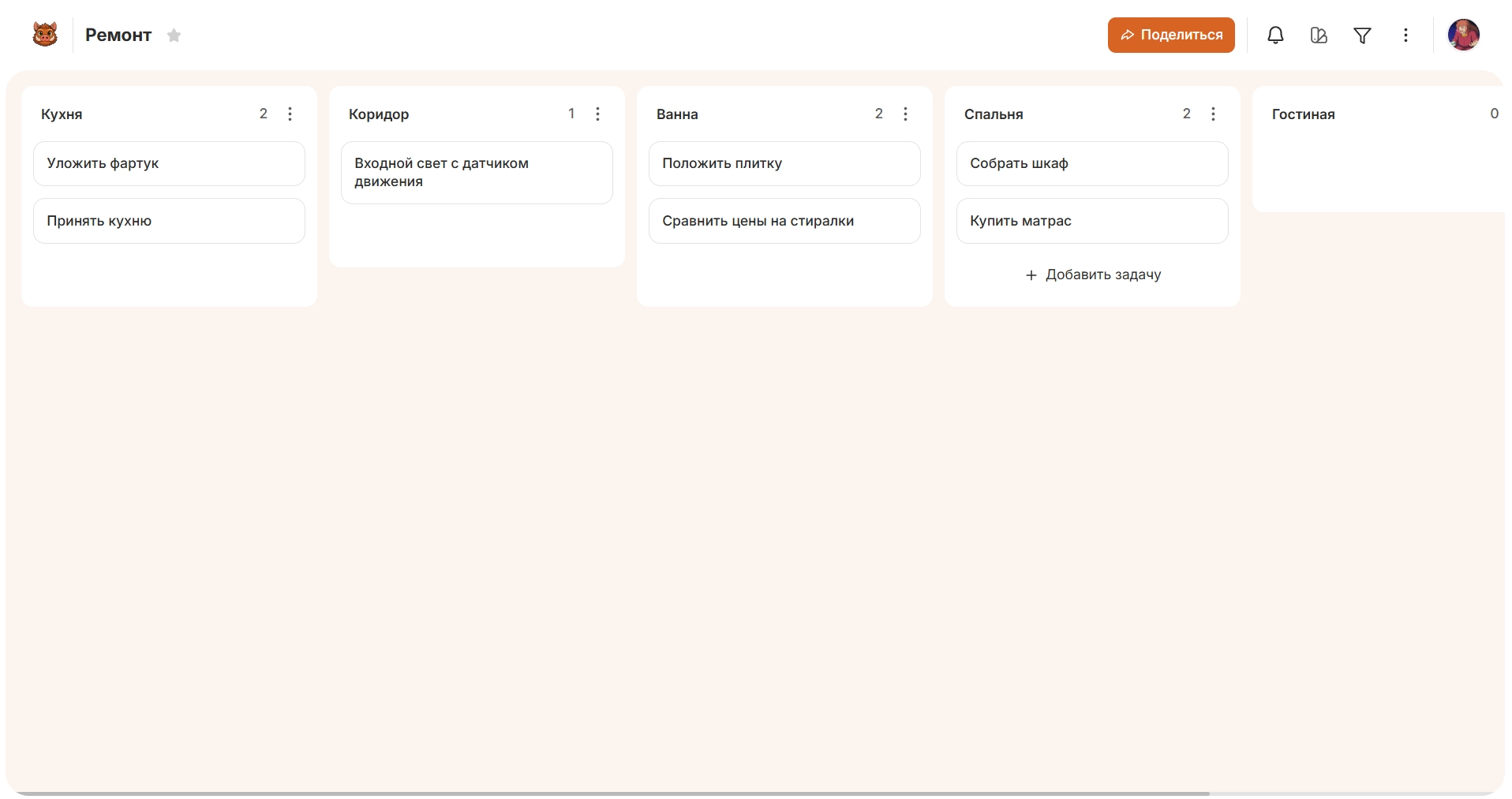
The premises can be used as a separate feature of the cards. Tasks on the kitchen, bathroom, bedroom and corridor remain part of the overall renovation, but apply to different facilities. So the kanban system simultaneously shows the type of work, its belonging to a particular room and the current state.
6. Kanban
Online kanban for job search allows you to conduct vacancies as a sequential process and track every offer from the first acquaintance to the final decision. This format is especially convenient if a person is considering several employers at the same time.
A separate vacancy becomes a card with which you can associate the company, conditions, important requirements, interview dates, next actions and the result of communication. By its position on the virtual board, you can see which proposals are only being considered, where the response is sent, where the interview is scheduled, a test is performed or a response has already been received.
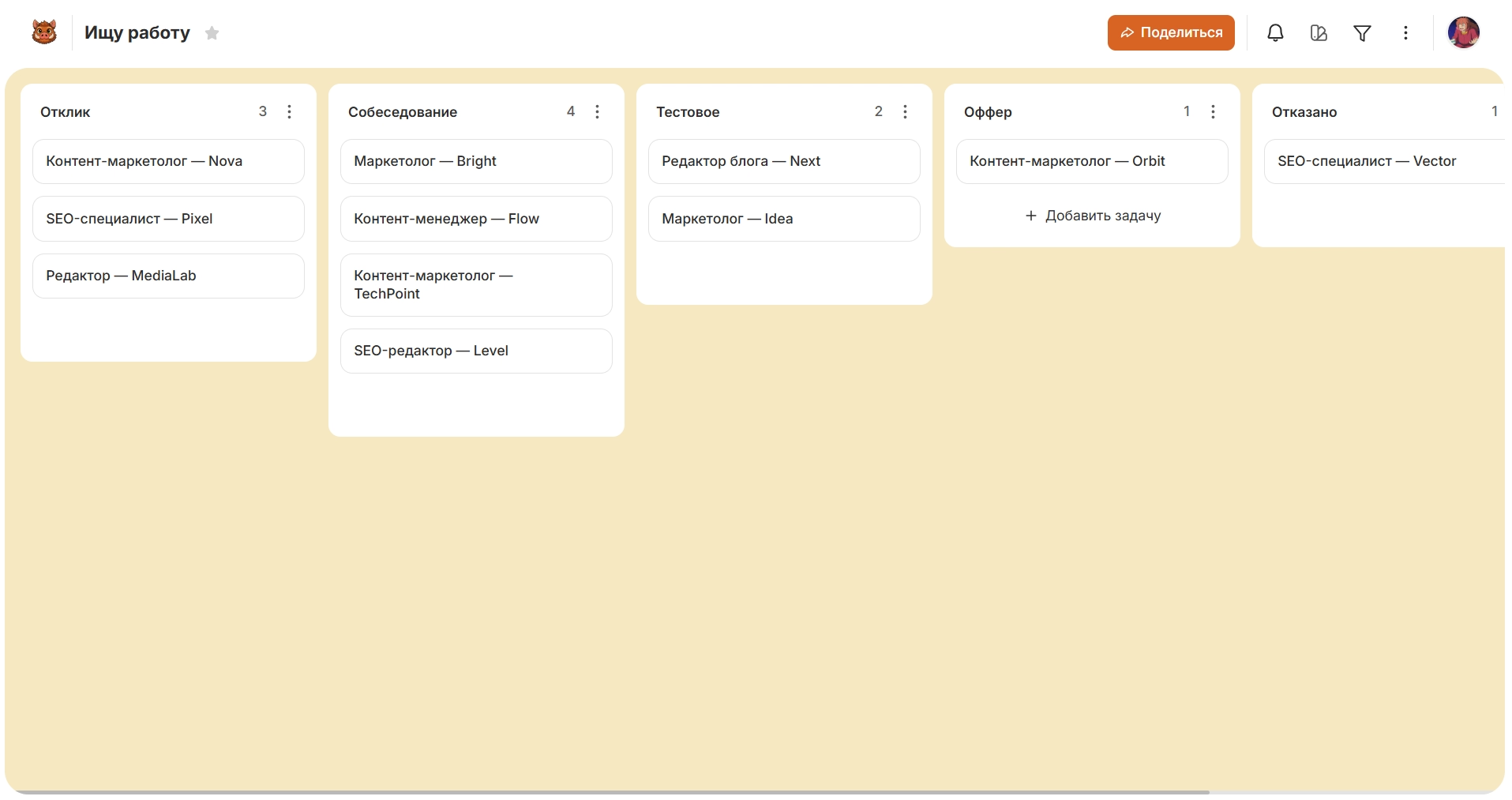
Additional classification helps to separate vacancies by direction, format of work, priority or other criteria. As a result, instead of many tabs, letters and notes, a single job search funnel appears, where the state of each option is visible.
Other Use Cases for Personal Kanban
Kanban’s online system can be used in almost any personal field where there are separate tasks or objects that go through multiple states. In addition to the options discussed above, a digital whiteboard is suitable for:
- moving;
- wedding preparations;
- organization of a birthday or other event;
- planning a major purchase;
- hobbies;
- creating a portfolio;
- preparation of documents;
- search and selection of apartments;
- cloakroom organization;
- training planning;
- personal creative project;
- preparation for the exam or obtaining a certificate;
- Planning the repair of the car;
- watching movies and TV series;
- taking online courses.
In each scenario, the object that the user is tracking changes. When moving, these can be tasks and groups of things, when choosing equipment - the models under consideration, when preparing an event - individual parts of the organization. As a result, the same Kanban logic adapts to different processes without having to use the same board structure.
Kanbano's opportunities for personal planning
Canbano can be used as an online system for different personal processes: create your own boards, customize their structure, store information inside cards, share tasks and work from the same space on different devices. The service supports work in the web version, Android and iOS.
Add details to cards
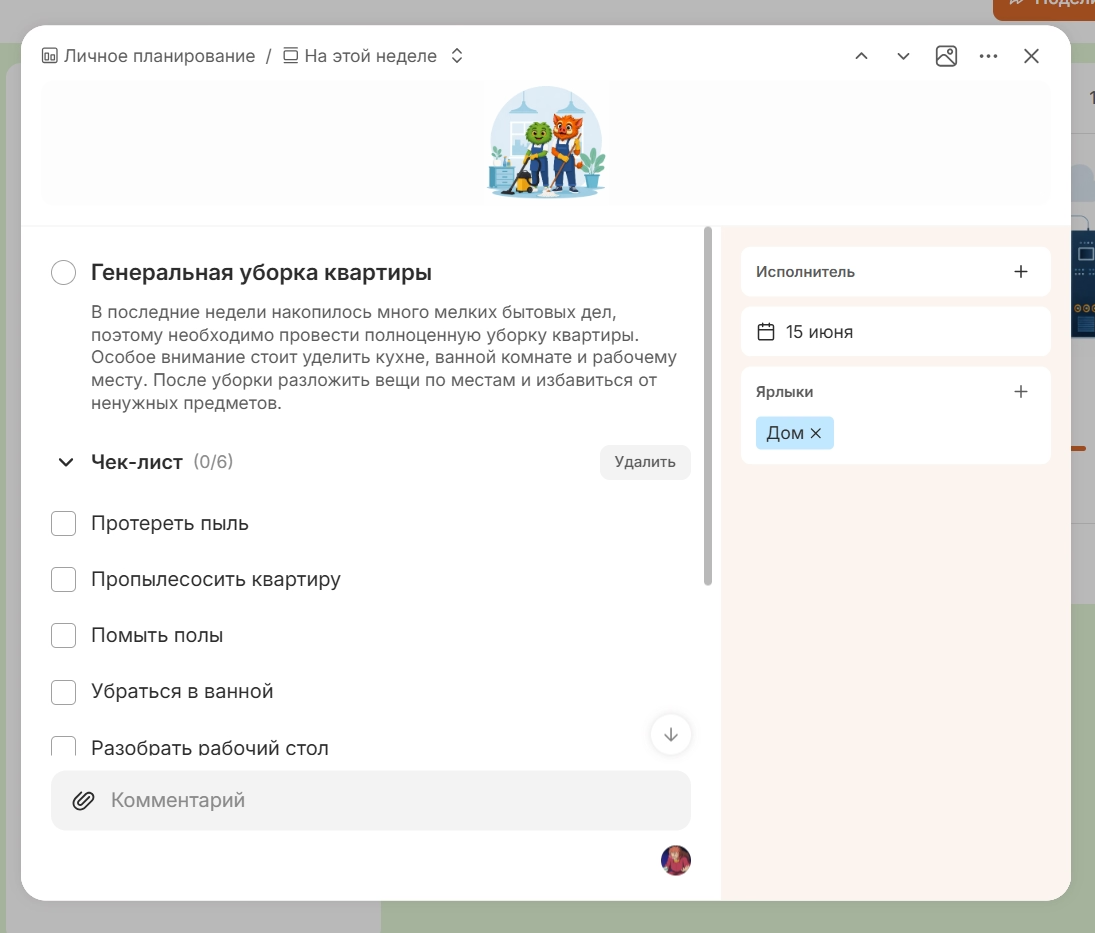
Inside the cards, a description, performer, date, marks, status, checklist and attachments are available. Thanks to this, the card can store not only the name of the case, but also the context associated with it: term, category, small stages, necessary materials or the person responsible.
Checklists are especially convenient for large personal tasks. For example, one part of a travel preparation, repair, or educational project can be broken down into several activities without creating a separate card for each.
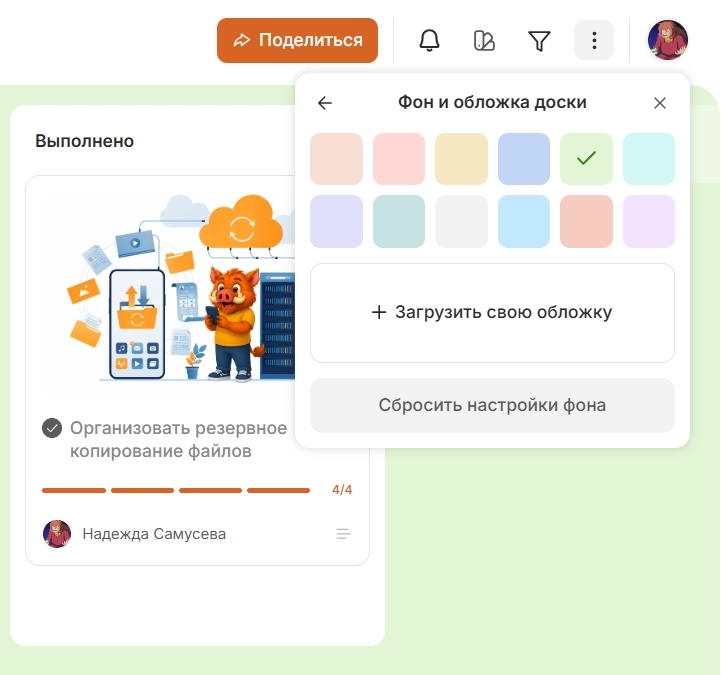
Change the design of boards and cards
Canbano allows you to visually distinguish different spaces and tasks with the help of design. For the board, you can set a color background or your own image, and add covers to the cards. This is convenient if the user has several personal projects and wants to quickly navigate between them.
Use tags and filters
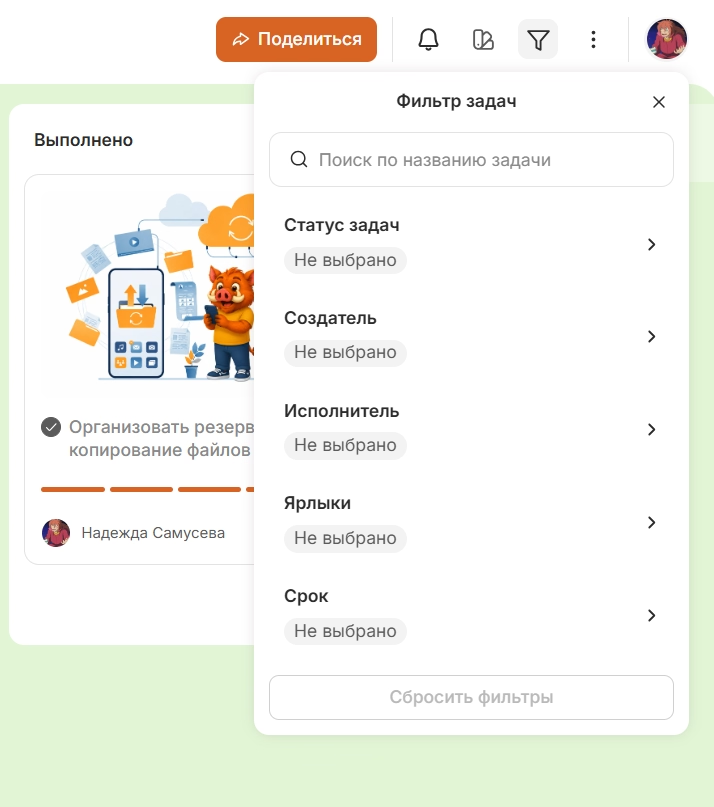
Cards in Kanbano can be classified with labels and then filtered by artist, creator, status, date and labels. This is useful for large personal boards, where many different objects are simultaneously located.
Share boards and work together
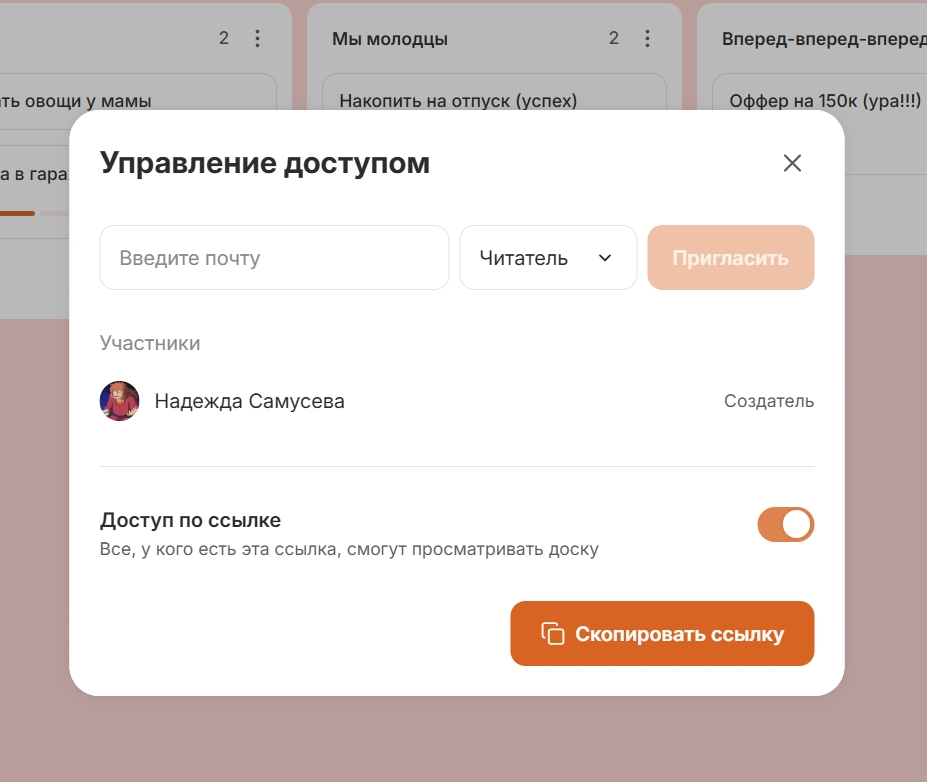
The board can be shared via a link or given access to another user. Kanbano supports the roles of creator, editor and reader, so one participant can change the content, while the other can only be left to view.
This format is useful for family planning, joint travel or repair.
Connect boards from other services
If the tasks were already done in another system, it is not always necessary to start organizing the space anew. It is possible to connect boards from Strive, Trello, Kaiten, LeaderTask and WEEEK to Kanbano and work with them in one place.
Archive completed tasks and boards
Executed or temporarily irrelevant cards can be sent to the archive so that they do not overload the active board. If necessary, they can be restored and returned to work. A separate archive is provided for entire boards.