When choosing a free kanban board for personal tasks, a clear structure, sufficient free tariff options and a quick transition from registration to the first task are important. A free kanban board for personal tasks helps you to get things together in one place, distribute them in stages and see what is planned, in the works and already completed.
We will analyze the selection criteria and compare Kanbano, Kanbana, KanbanFlow, Kanban Tool, Kaiten, WEEEK, YouGile and LeaderTask. Let’s look at the tariff restrictions, the design of boards and cards, the work with deadlines and how easy it is to maintain such a system every day.
What to look for when choosing a free kanban board
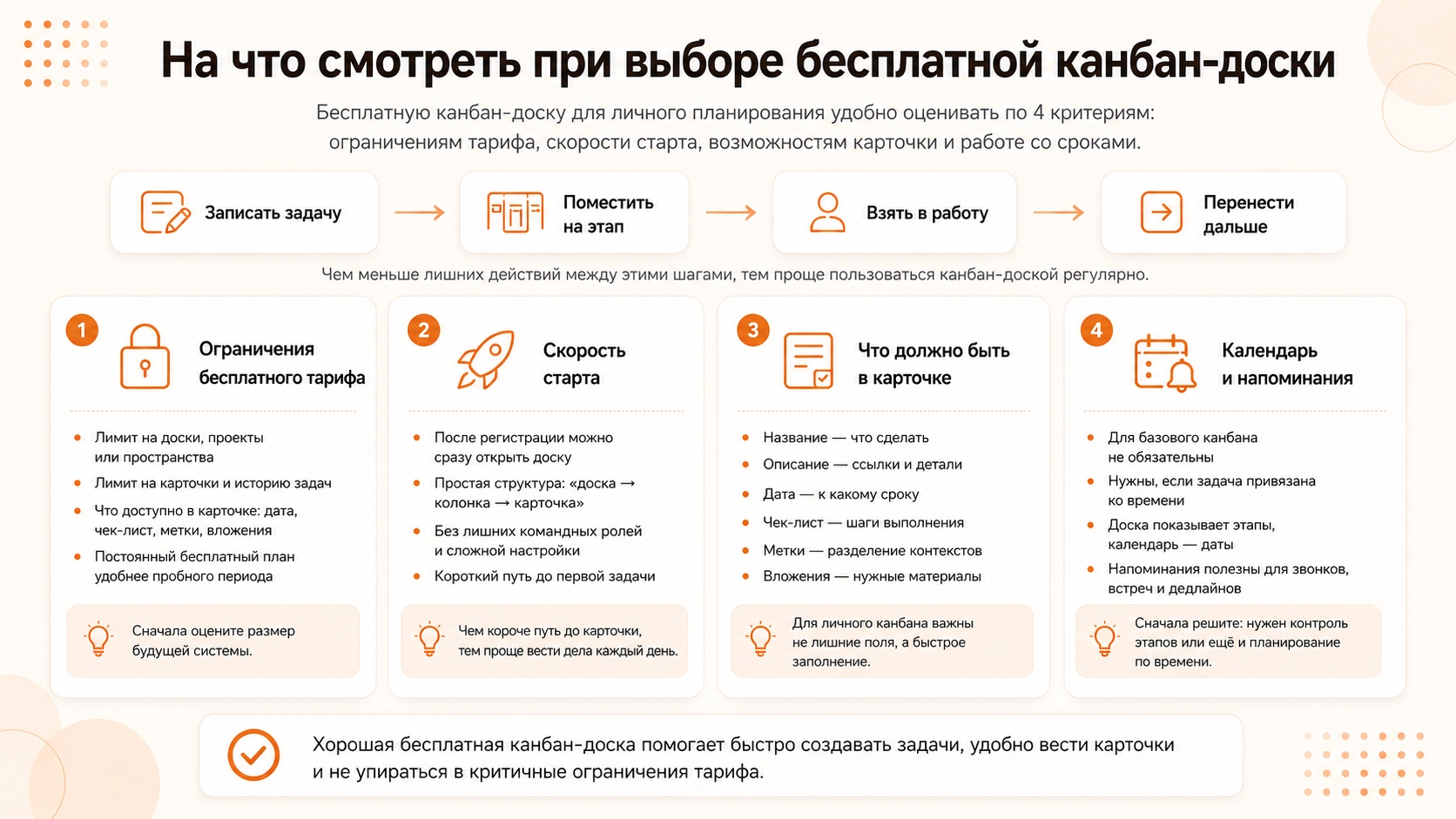
The free Kanban planning board is evaluated according to four criteria:
- Functional restrictions of the free tariff;
- Start speeds after registration;
- Opportunities of the task card: terms, checklists, marks and attachments;
- Work with deadlines: dates, calendar and reminders.
The personal kanban is built around a short cycle: a person writes the case, places the card at the desired stage, takes the task into work and carries it further after changing its state. The less additional action occurs between these steps, the easier it is to use the board regularly.
What are the restrictions of the free Kanban board fare
Free kanban service rates limit the number of boards, cards, projects or workspaces, and sometimes individual card functions and synchronization between devices.
First, it makes sense to estimate the size of the future system. One board is enough for the general flow of affairs. Several areas – such as work, training and personal project – are more convenient to separate when they have different stages. In this case, the limit on boards becomes the first noticeable restriction.
Next is the volume of tasks inside the board. Kanban does not only store business for today: some cards are waiting in line, some are in work, others have already been completed. A tight limit forces you to delete history or shorten the list of future tasks.
After quantitative restrictions, you need to check the composition of the card. The date fixes the deadline, the checklist breaks the task into steps, the tags divide the contexts, and the attachments store the materials next to the case. If these items are only available for a fee, the free version is only suitable for a simple card list.
The last criterion is the duration of the tariff. A permanent free plan allows you to build a system and continue working without a mandatory subscription. The trial period is suitable for acquaintance with the service, but does not solve the problem of long-term personal planning.
How quickly can you start tasks?
A quick start means that after registration, the user opens the board, selects the column, and creates the first card without setting up the team, roles, and multi-level project.
The shortest structure looks like a board → column → card. It is suitable for a person who needs to quickly record a case and later change its stage. Additional layers, such as space and design, are justified when the user conducts several independent processes.
The difference is especially noticeable in daily work. A person returns to the system several times a day to write down a new task, change deadlines, or check current affairs. The shorter the path to the card, the less time it takes to service the planner himself.
What should be in the personal task card
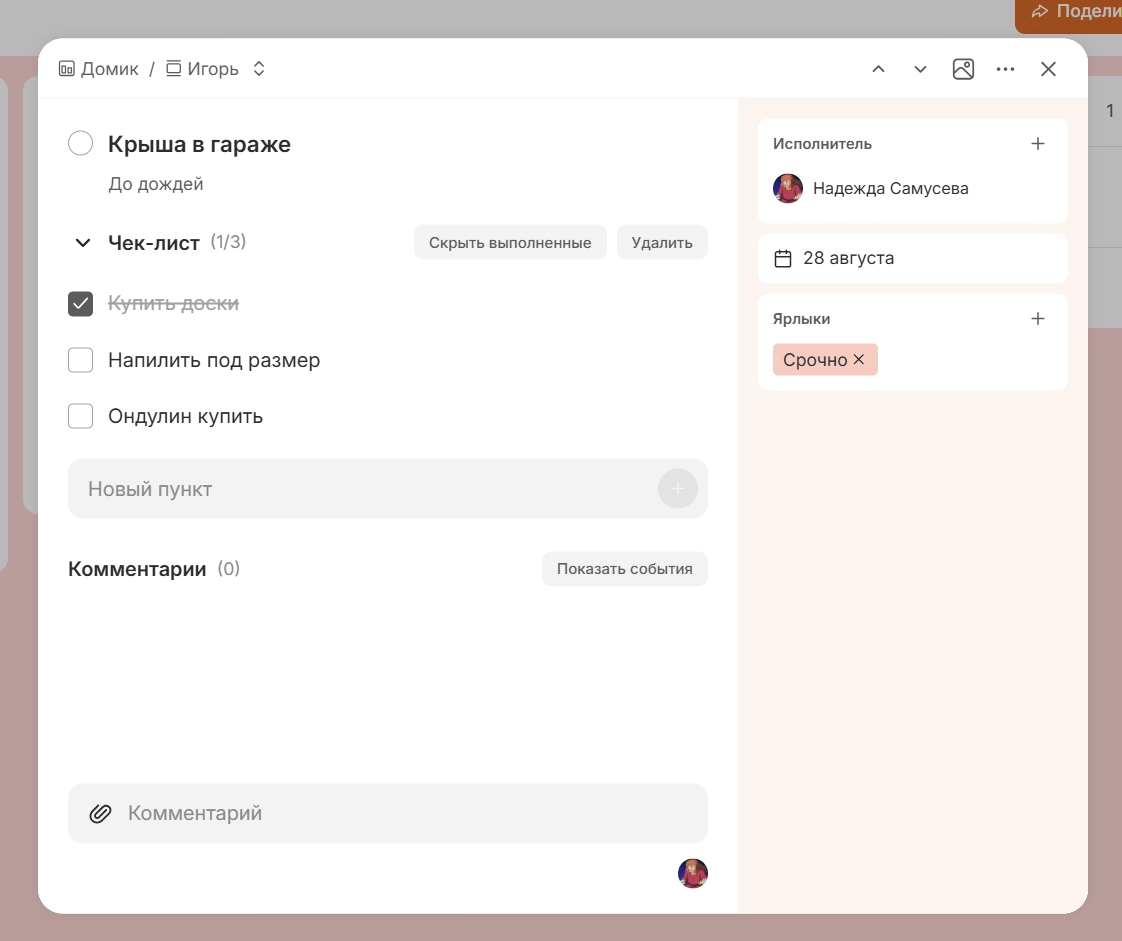
For a personal task, a name, description, date, checklist, tags and attachments are enough. These elements answer four questions: what to do, by what date, what steps to follow and what materials will be needed.
The name formulates a specific action: "Book a hotel" is clearer than "Vacation". The description stores links, addresses and other details. The date sets the deadline. A checklist lays out a big case into steps, and tags separate, for example, work tasks from personal tasks inside a single board.
The card does not become more convenient due to dozens of additional fields. For a personal kanban, it is more important that the basic tasks are filled quickly and do not require a separate design structure.
Do you need a calendar and reminders in a personal kanban board?
No, for a basic personal kanban, a calendar and reminders are not necessary, because the board already shows the movement of tasks in stages: what is planned, what is in work and what is completed. They are needed if the task is tied to a specific date or time.
For example, the case “Disassemble photos” is enough to conduct in the stages “Planned → Work → Ready”. To call the doctor on Tuesday at 10:00, the date and reminder are already important. Therefore, when choosing a service, it is necessary to decide in advance, you only need to control stages or also plan tasks over time.
Comparison of free kanban boards for personal tasks
Services differ in how they work with tasks: Kanbano, Kanbana, KanbanFlow and Kanban Tool build it around boards, speakers and cards; Kaiten adds spaces, WEEEK and YouGile - projects and additional presentations of tasks, and LeaderTask - projects and a diary.
Specialized kanban applications - Kanbano, Kanbana, KanbanFlow and Kanban Tool: work in them is built around boards, columns and cards. Kaiten is also focused on kanban, but adds space to separate processes. WEEEK and YouGile are broader task and project management systems, while LeaderTask is a scheduler with a diary and kanban boards.
Kanbano – if you need a simple free online kanban board
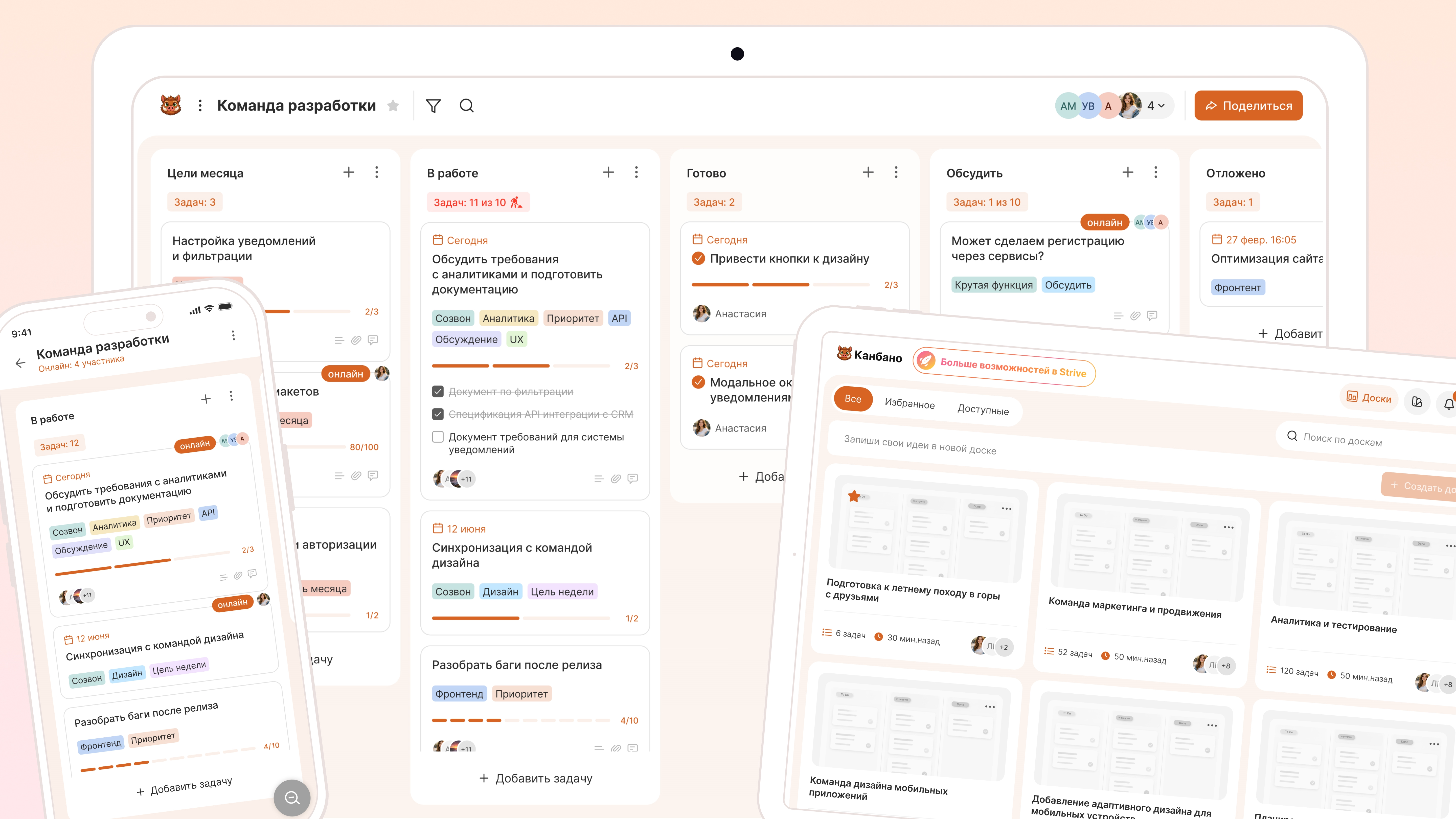
Canbano is suitable for a person who wants to conduct personal tasks directly on the board and not build a separate system of spaces and projects around them. The work is based on a simple scheme: the task appears in the card, is at a certain stage and moves further as it is executed.
This approach is convenient if kanban is used as the main method of planning. For example, work tasks are on one board, training is on another, and each retains its own columns and order of execution.
Benefits of free Kanban board:
- the number of boards and cards is not limited;
- After registration, the user immediately goes to work with the board;
- the card has a description, date, marks, status, checklist and attachments;
- separate boards help not to mix different directions;
- The service works on the web, on Android and iOS.
Canbano restrictions:
- There is no separate calendar submission;
- There is no schedule or “Today” section;
- Gantt chart and deep analytics are missing.
Kanbano is primarily suitable for planning stages: the user sees what needs to be done, what is in the works and what is already completed.
Kanbana – if you need a small personal kanban
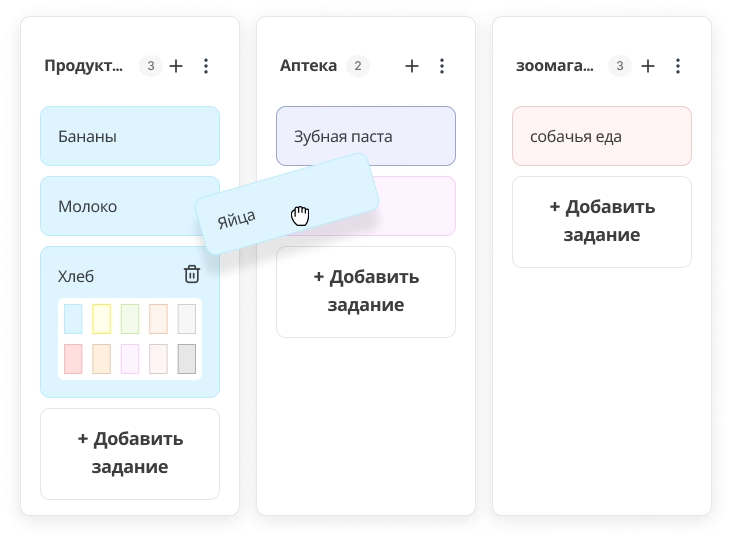
Kanbana is suitable for a person who wants to lead one compact stream of personal tasks without a complex structure. The board is divided into lists, and the cards move between them with a change in the state of affairs.
For example, for everyday tasks, three lists are enough: “Today,” “Today,” and “Ready.” Such a scheme does not require a separate project or workspace and remains understandable even at the first acquaintance with kanban.
Pros of Kanbana’s free online kanban board:
- work is built only around boards, lists and cards;
- The service is focused on personal task management;
- data is synchronized between supported devices;
- It is not necessary to create a separate project structure to start work.
Disadvantages of Kanbana service:
- free tariff includes one board;
- No more than 20 cards are available at the same time.
- It is impossible to divide work, study and personal affairs into separate free boards.
Kanbana is well suited for a small current list, but the card limit becomes noticeable with constant task management.
KanbanFlow - if it is important to limit the number of tasks
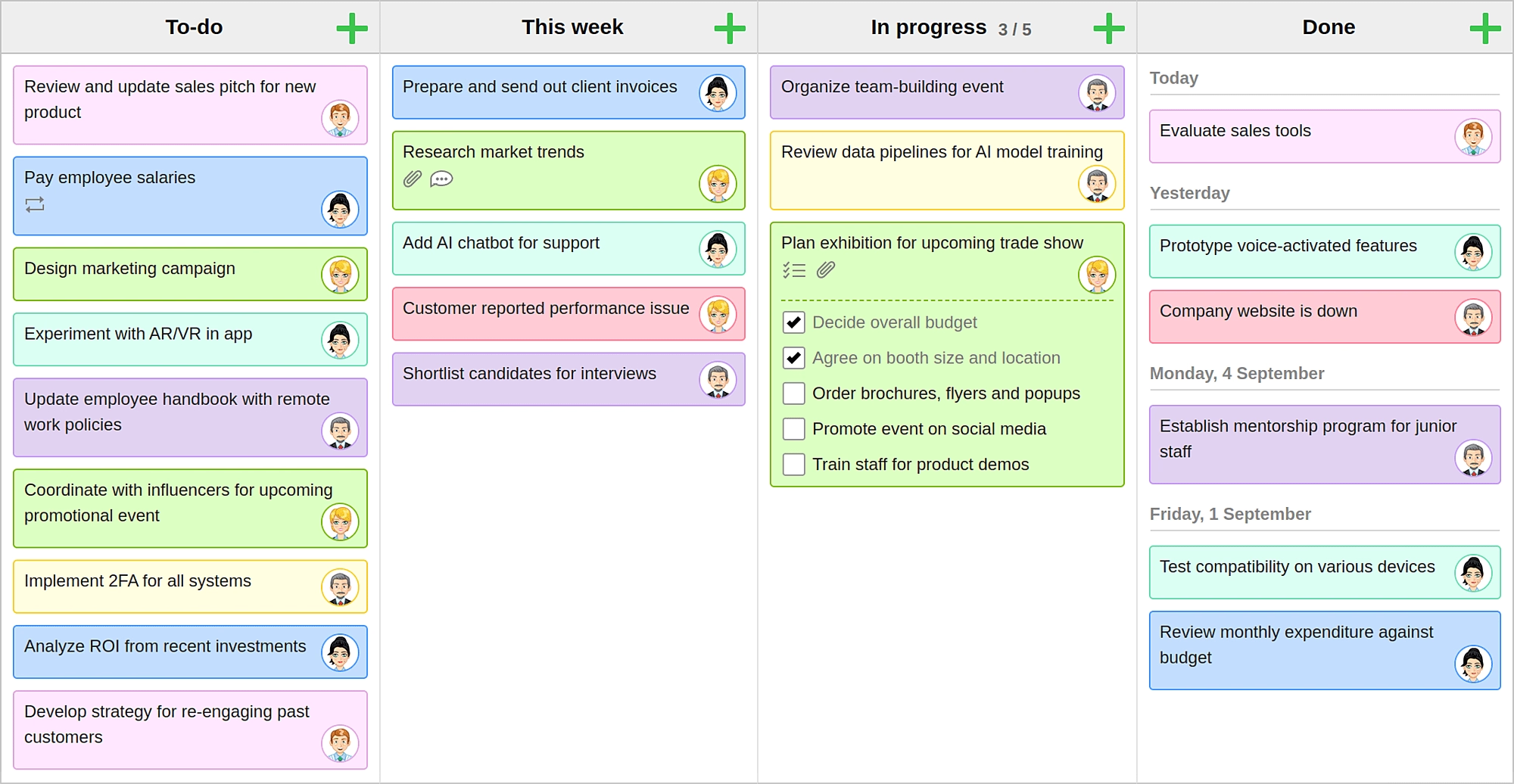
KanbanFlow is suitable for a person who often starts several cases in parallel and wants to control the number of unfinished tasks. Here, kanban is used not only for visual distribution of cards, but also to limit the workload itself.
For example, the user sets a limit of two cards for the “In Work” column. The next task remains in line until one of the current ones moves on. This procedure helps to first finish what you started, and only then take a new business.
The strengths of the free KanbanFlow service:
- the number of boards and tasks is not limited;
- WIP limits control the number of tasks started simultaneously.
- subtasks divide a large case into separate steps;
- Repetitive tasks are suitable for regular activities.
- Filters help to work with a large number of cards.
What to consider when choosing KanbanFlow:
- There is no separate application for iOS and Android;
- from a smartphone, the service works through a mobile web version;
- Extended tools are only available in Premium.
KanbanFlow is more suitable for a person who wants to use the very logic of kanban and consciously limit unfinished work.
Kanban Tool – if the task stage needs to be associated with a deadline
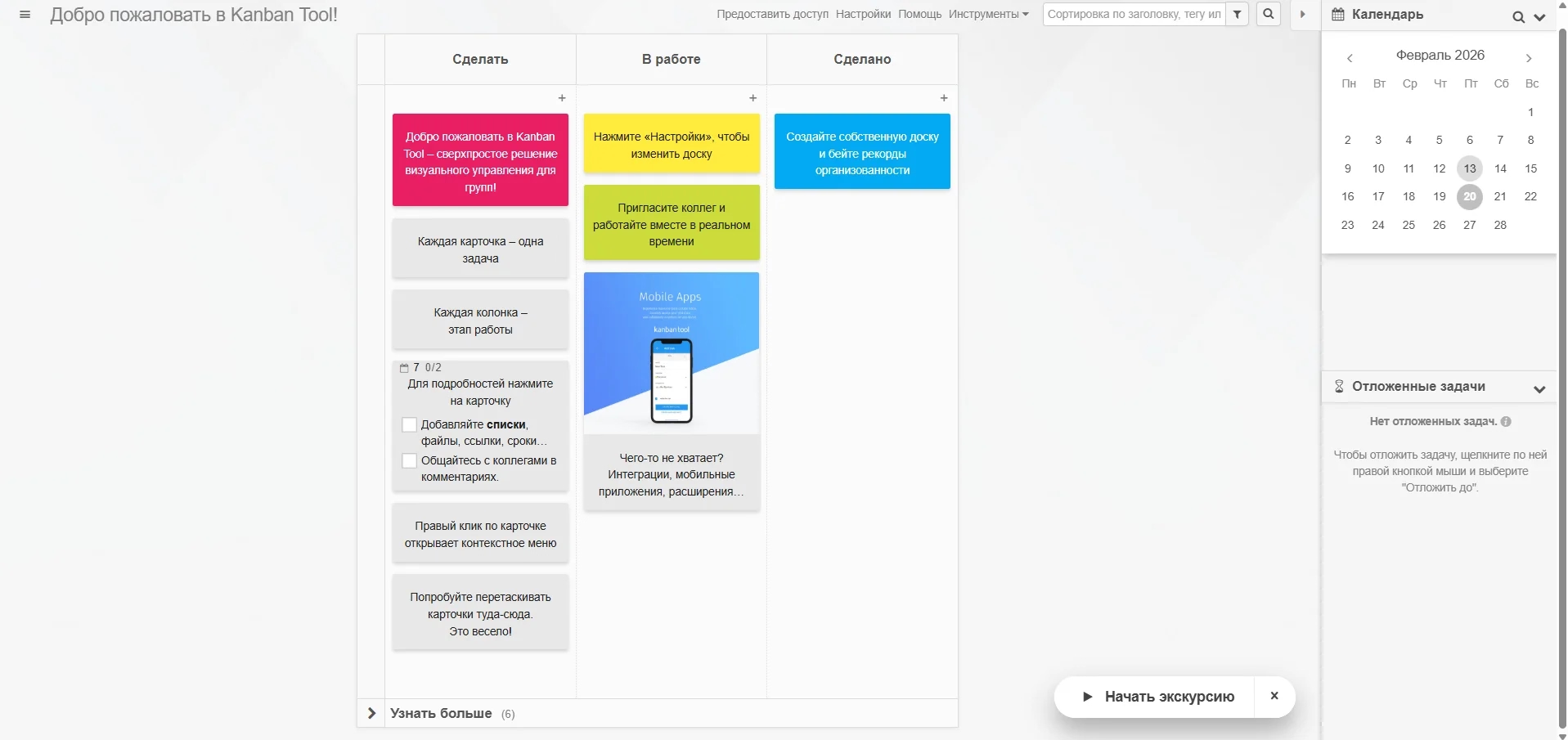
Kanban Tool is suitable for a person who needs to understand at what stage the task is and by what date it should be completed. Kanban is combined with calendar planning, so the same task is considered both through the state and through the deadline.
This approach is convenient with a mixed flow of cases. Tasks without a hard date are moved by columns, and cases with a deadline are additionally controlled by the calendar.
Benefits of Kanban Tool for personal planning:
- Kanban board and calendar work with the same tasks;
- dates are displayed directly in the cards;
- calendar presentation helps to control deadlines;
- Reminders return to tasks with a specific date.
Restrictions of the free version of Kanban Tool:
- Two boards are available free of charge;
- The tariff is designed for a maximum of two users;
- File attachments are not included in the free plan.
Kanban Tool is worth considering if a simple free kanban board is not enough and deadlines play a prominent role in personal planning.
Kaiten - if there are several personal projects
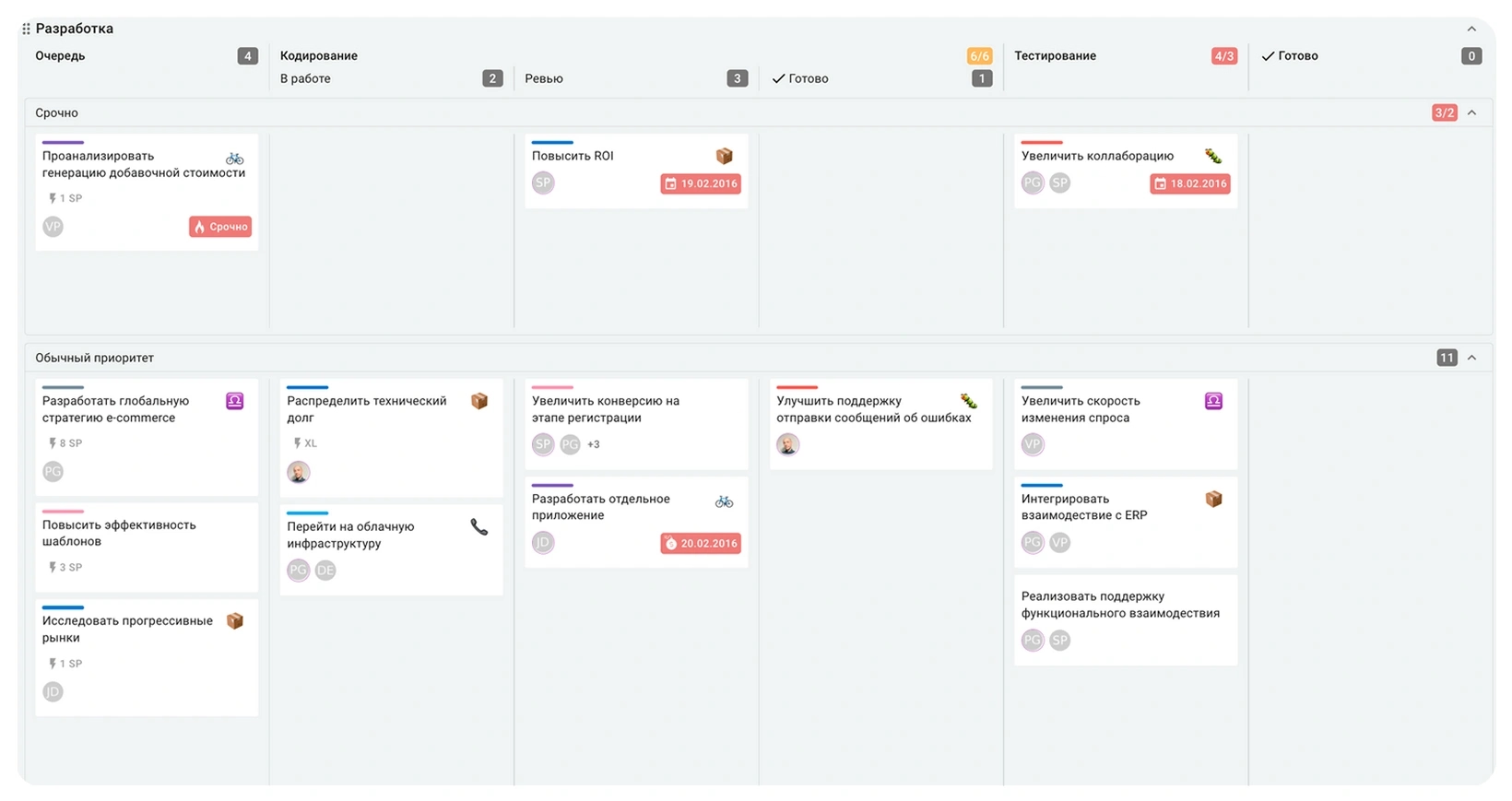
Kaiten is suitable for a person who has several independent processes and wants to separate them from each other. Here, another level appears above the boards - spaces, so work, training and personal projects get their own structure.
This separation requires more initial customization than a single personal whiteboard, but becomes useful as the number of projects grows. The user does not add tasks with different stages and context into one common thread.
What is convenient in free Kaiten:
- Up to three spaces are available;
- You can create up to five unique boards.
- cards support deadlines, labels and attachments;
- Several views help to look at tasks not only through columns;
- Mobile applications give access to work from a smartphone.
Restrictions of Kaiten for personal use:
- a structure of spaces, boards, columns and cards requires more customization;
- The free version is limited to five unique boards.
- one checklist is available in the card;
- Some of the advanced Kanban flow management tools are additional features.
Kaiten is better suited not for one short to-do list, but for multiple personal projects to keep separate.
WEEEK – if one planning board is not enough
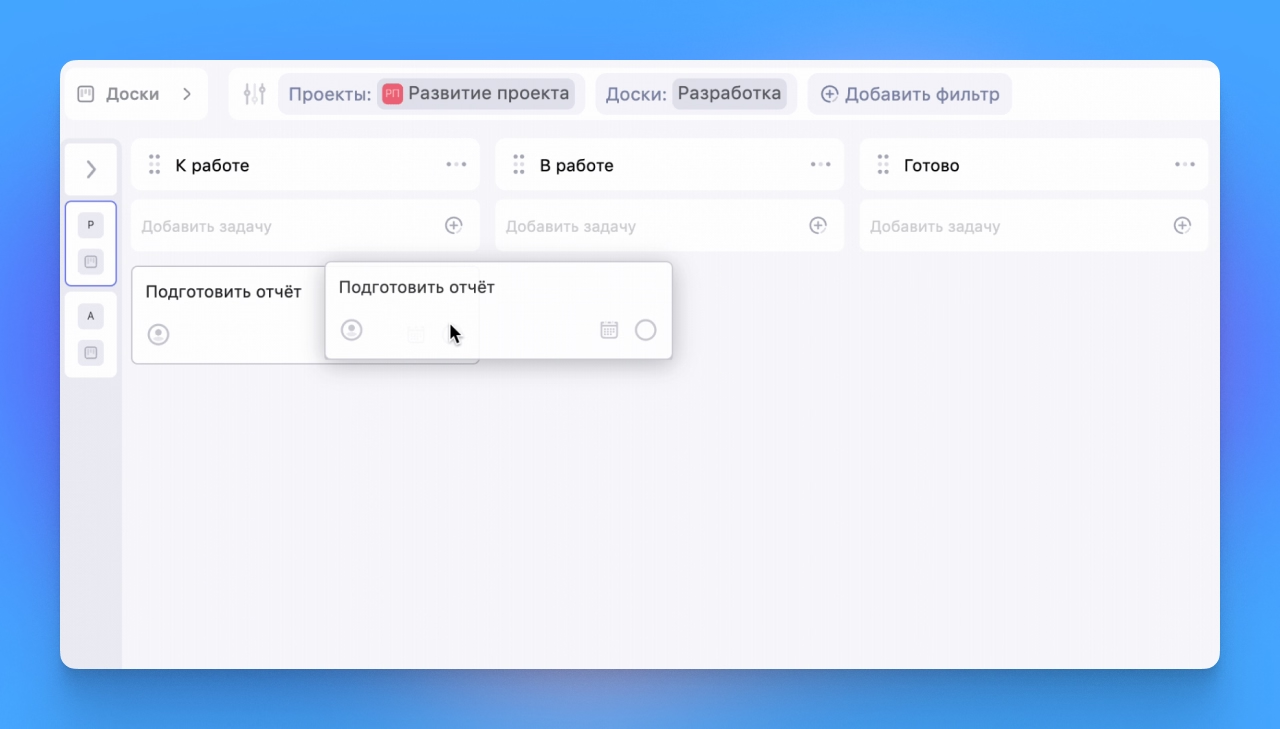
WEEEK is suitable for a person who wants to lead tasks not only in stages, but also within individual projects. Kanban is becoming a way of organizing work alongside other planning formats.
For example, work tasks and training are in different projects, and boards are created within each project. This approach helps to avoid mixing several major directions, but requires a more developed structure than the usual personal kanban.
Pros of free WEEEK:
- the number of tasks is not limited;
- Up to seven projects are available;
- Up to five boards can be created within each project;
- tasks work together with calendar submissions;
- The service is available on computer and mobile devices.
What to consider in WEEEK:
- The task is located within the chain “space → project → board”;
- The interface is designed not only for personal kanban;
- free tariff limits the number of projects and boards;
- Additional sections of the product are not necessary for a person who is looking only for a simple board.
WEEEK is suitable for those for whom a free Kanban planning board is part of a wider system of working with personal projects.
YouGile – if you need a full-fledged project system around the boards
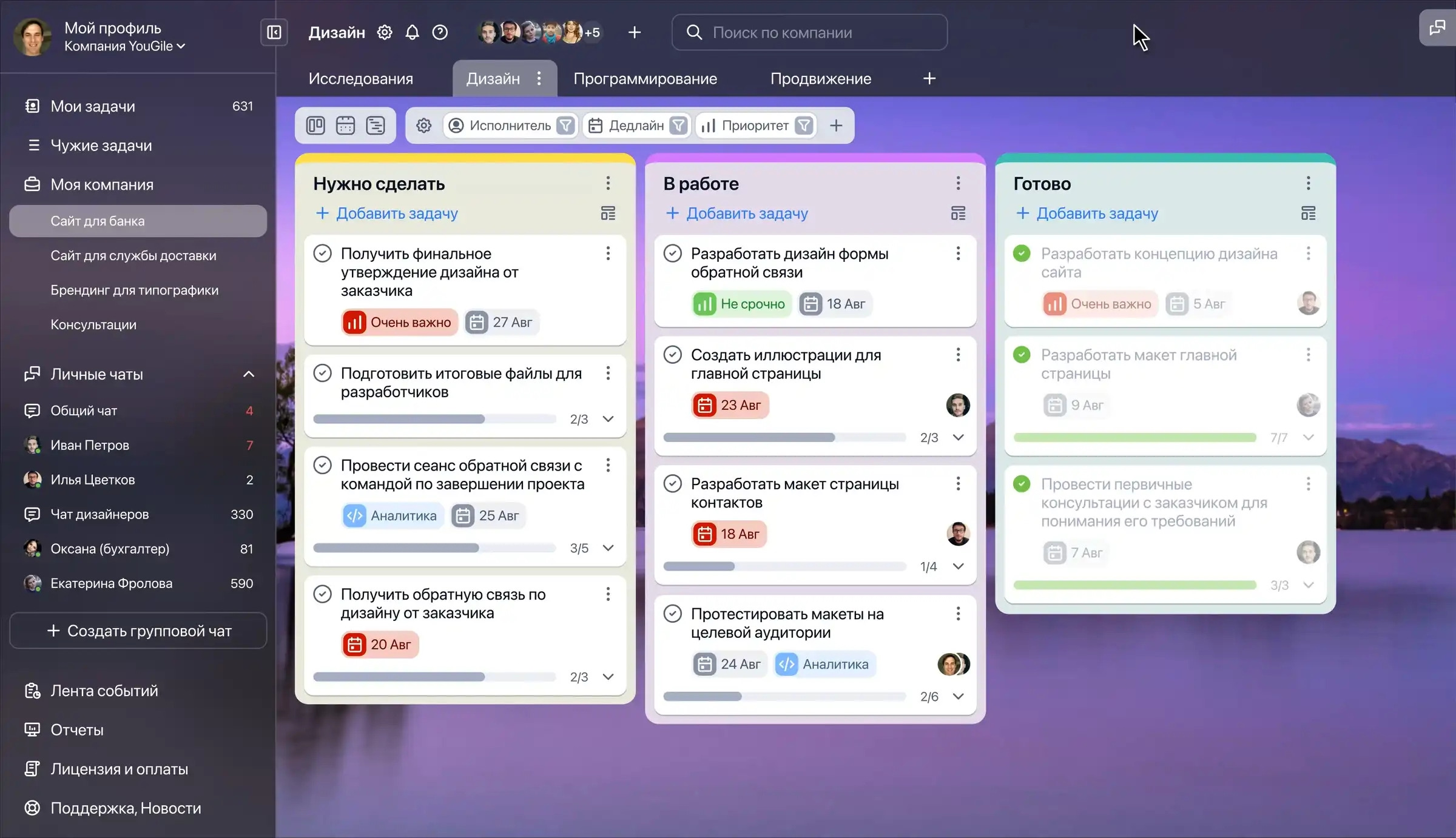
YouGile is suitable for a person who runs several large processes and wants to link kanban with other task management tools. Here, each board is inside the project, so the service is designed for a more developed organization of work.
This format is especially appropriate if the tasks differ not only in stage, but also in terms, frequency or belonging to different projects. For one board of three columns, this structure will be redundant.
The strengths of YouGile:
- The first ten users receive cloud functionality for free without a time limit;
- tasks work with deadlines;
- Regular tasks are supported;
- boards are supplemented by other representations;
- Several projects conveniently share independent processes.
YouGile restrictions for one user:
- work is built through projects, boards, columns and cards;
- in the interface there are command tools, messenger and CRM;
- For a simple personal board, a significant part of the functions are not used.
YouGile should not be chosen for the sake of a minimum entry threshold, but when personal planning already requires a full-fledged project environment.
LeaderTask - if you need kanban together with a daily
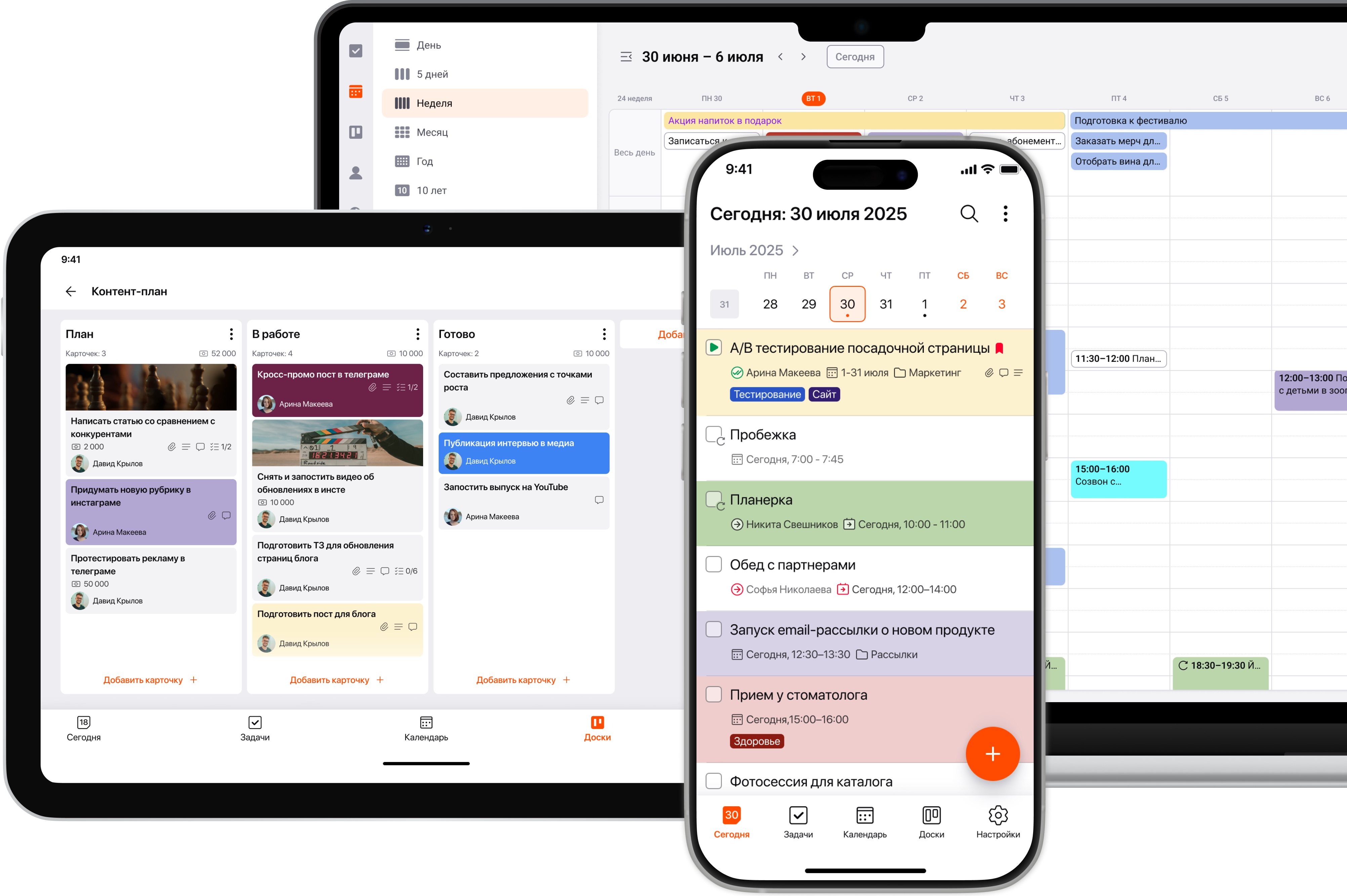
LeaderTask is suitable for a person who plans the bulk of things on a day-by-day basis, and kanban only uses for individual processes. Unlike specialized kanban applications, the board does not become the center of the entire system.
For example, calls, appointments, and short tasks remain in the diary, and a lengthy process like repairing or finding a job goes through several columns on a separate whiteboard.
Advantages of LeaderTask for personal planning:
- The calendar and kanban complement each other.
- Reminders are available in the free version;
- Ten projects help to divide the directions;
- Three boards are suitable for several processes.
Cons of Free LeaderTask:
- The list is limited to 100 tasks;
- Only three boards are available free of charge;
- Synchronization between devices is not included in the free tariff;
- Some of the features of the card are available only in the paid version.
LeaderTask is suitable for those who primarily need a diary and a regular Task Manager, and a kanban board is required as an additional way to conduct individual processes.
What free kanban board to choose for personal tasks
The choice depends on the number of personal projects, the role of deadlines and how many levels a person is willing to support each day.
Kanbano, Kanbana, KanbanFlow and Kanban Tool are closer to direct personal kanban. Kanbano does not limit the number of boards and cards at the current stage, Kanbana is designed for one small board, KanbanFlow adds WIP limits, and Kanban Tool connects stages with deadlines.
Kaiten is suitable for several independent projects. WEEEK and YouGile combine Kanban with a wider design system. LeaderTask puts a diary in the center, and uses the boards as an additional presentation.
When choosing, it is useful to start from your own scenario. A single board with simple steps requires minimal structure. Several personal projects require separate boards or spaces. Hard deadlines add value to calendars and reminders, and regular chores add value to repetitive tasks.
A free online kanban board for personal tasks is not required to contain the maximum set of functions. Convenient service reduces the path from the appearance of the case to its fixation: a person writes down the task, determines the stage, returns to the card and changes its state without unnecessary transitions.